
Mover's Portal
Confirm or decline a schedule
When the office puts you on a crew, answer from your phone — CONFIRM (or DECLINE, if your company allows it) — and the office sees it right away.
- 2 min read
- Checked against MoveBoard
- For foremen, movers
On this page
When dispatch puts you on a crew and sends it, you get a text, and the office waits for your answer.
Answer from Home
- Open the Mover's Portal. Under The office is waiting for your answer there's a card for each day you're scheduled, with Start At — the time to report.
- Press CONFIRM. If your company lets crews decline, you'll also see DECLINE.
Your answer shows straight away: the card becomes a green bar ✓ Start At: 7:00 AM (or red for a decline) and the day leaves the waiting list. On the office's Crew Schedule your name turns green or red at the same moment.
Before you answer you see only the day and the start time — the job details come once you're on it.
Answer from the Tracker
- Press Tracker at the bottom.
- Days waiting for your answer are circled yellow; confirmed days green; declined days red; a grey day has time off.
- Tap a day. Each crew you're on that day shows Start At with CONFIRM (and DECLINE when allowed).
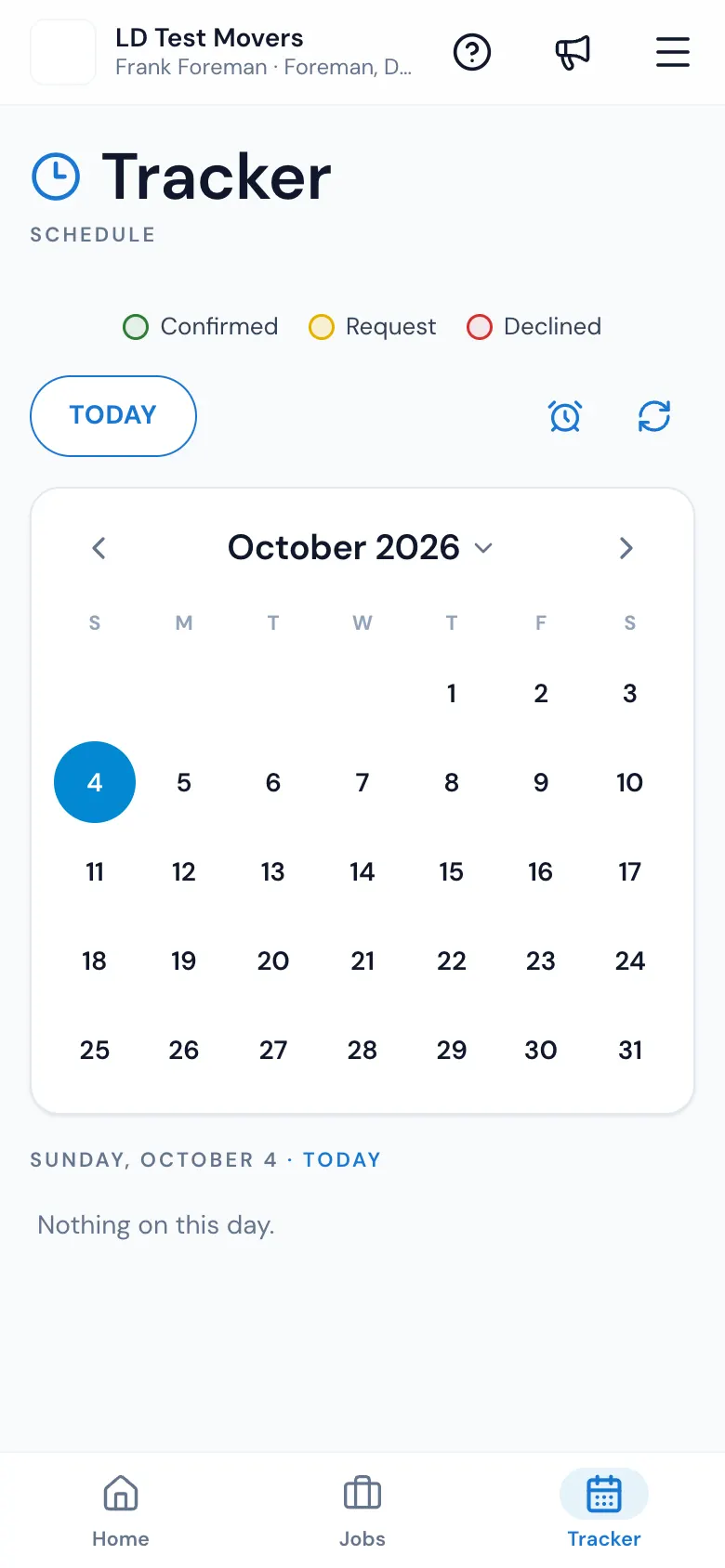
If you work for more than one branch, each card says Company: above it.
Changed your mind?
Once you've answered, the buttons go away. Call the office — dispatch can set your answer for you, or send your day again with Resend.
Can I decline?
Only if your company switched on Foreman can decline schedule (Settings › Crew › Foreman app). Otherwise CONFIRM is the only button, and you call the office if you can't make it.
If something goes wrong
- That did not save. Try again. — your answer is put back; try once more.
- No connection. Try again when you have signal.
Related guides
- Mover's PortalThe Mover's Portal homeWhat foremen and movers see when they open MoveBoard on their phone — the jobs waiting for an answer, today's jobs, and where everything else is.
- Mover's PortalAsk for time offAsk the office for a day, a morning, an afternoon or certain hours off from the Tracker — and change or withdraw it while it's waiting.
- Dispatch & schedulingCrew cards on the Crew ScheduleEverything on a crew card — the foreman's spot, adding and removing spots, report time, trucks, the answer colours and the row menu.
- Dispatch & schedulingTexts the crew getsWhich texts or emails your movers get when you build crews, put them on jobs, take them off, change the report time or cancel a job — and how to change the words.
Still stuck? A person will help.
Open a ticket from Support inside MoveBoard, or email us — we usually reply within one business day.