
Card fraud protection for moving companies: Know who is paying before the card is charged.
ID match verification asks the person paying to photograph their card and their ID on their own phone. MoveBoard checks that the names match and that the card in the photos is the card they pay with. The card number is covered on their phone before anything is sent, so only the last 4 digits ever reach you. Every try leaves one record on the order.
- photos: the card's two sides and the front of the ID
- 3photos: the card's two sides and the front of the ID
- digits of the card ever shown: the last ones
- 4digits of the card ever shown: the last ones
- record on the order for every try
- 1record on the order for every try
 Harbor & Pine MovingNew67°2
 EdPRPriya RamanCompany AdminPR
Settings · Payments & billing · ID match verification
When customers verify before they pay
- Send to payBefore paying from a Send to pay linkFace scan
- Move within 72 hoursAfter signing the order for service, before the deposit
- Every depositWhenever the customer pays a deposit online
- Large paymentsOne online payment of the amount you type, or more
- Office adds it to one orderRequire ID match verification, in the order's Payments window
Message the customer reads: To protect you and our company from credit card fraud, we confirm that the person paying is the cardholder before we take this payment.
Included in every plan, with no add-on fee. Set per branch in Settings › Payments & billing › ID match verification. Cards are paid through your own card processor.
What is ID match verification for movers?
ID match verification is a fraud check before a customer pays by card. The payer photographs the card and their ID, MoveBoard compares the names and the card, and only then does the payment go through. The full card number and the security code are covered on the payer's own phone, so a moving company never stores them.
What it fixes
The day before ID match verification, and the day after.
A stolen card pays a deposit, the truck is booked, and the chargeback arrives weeks later.
The payer proves the card and the ID match before the deposit is taken.
Someone else pays from a link and nobody can say who they are.
The payer's name, card and ID are checked and kept on the payment.
Card photos in an inbox put your company in breach of card-security rules.
The card number and security code are covered on the customer's phone, so they never reach MoveBoard.
How it works
ID match verification, screen by screen.
01 / When to ask
You choose when customers verify.
Settings › Payments & billing › ID match verification is its own page, with one line for each reason: a Send to pay link, a move within 72 hours, every deposit, or a payment of the amount you type or more. Each line can include a short face scan. The office can also require it on one order, from its Payments window, for example when a customer pays a large amount now.
- Chosen branch by branch
- Your own message tells the customer why, up to 400 characters, with Reset to default
- Allow virtual card screenshots is set for each line
Harbor & Pine MovingNew67°2EdPRPriya RamanCompany AdminPRSettings · Payments & billing · ID match verification
When customers verify before they pay
- Send to payBefore paying from a Send to pay linkFace scan
- Move within 72 hoursAfter signing the order for service, before the deposit
- Every depositWhenever the customer pays a deposit online
- Large paymentsOne online payment of the amount you type, or more
- Office adds it to one orderRequire ID match verification, in the order's Payments window
Message the customer reads: To protect you and our company from credit card fraud, we confirm that the person paying is the cardholder before we take this payment.
02 / On the customer's phone
Three photos, one instruction per screen.
The customer sees Photo 1 of 3: the side of the card with the long number, then the other side, then the front of the ID. The camera opens full screen and works with the phone's rotation lock on, and a blurry or too-dark photo is asked again at once. The card number, except the last 4 digits, and the security code are covered right on their phone, and the full number never leaves it.
- On a computer, a QR code hands the steps to their phone
- Names must match: the card, the ID and the name the payer typed
- Up to 3 tries; after that the page asks the payer to contact your office and nothing is charged
On the customer's phone
- Photo 1 of 3The side of your card with the long card numberCovered
- Photo 2 of 3The other side of your cardCovered
- Photo 3 of 3The FRONT of your IDNext
•••• •••• •••• 1111
The card number and security code are covered on this phone. Only the last 4 digits show.
03 / The same card
The card they verify is the card they pay with.
After the check, the payer continues to payment with the name already filled in. The card they pay with must match the card they verified: the same last 4 digits, expiry, brand and name. Another card is refused before anything is charged, with a button to verify the new card instead. If the processor ever answers with a different card, that charge is voided at once and your office's bell rings.
- The verified card is saved on file for the move, and the payer agrees to it in the sentence they tick
- The order's log has a line for every check
- A bell and a task tell the office when a payer could not pass
04 / Virtual cards and the face scan
A screenshot for a virtual card, a short scan for more certainty.
A customer with no physical card taps My card is virtual and uploads a screenshot from their bank or wallet app. It is covered on their own phone the same way, only the last 4 digits show, and the last 4 must be the ones they typed. A company can also include a face scan: the customer agrees in a tick box, turns their head slowly while a green ring fills, and a few still pictures are compared with the photo on the ID.
- No video is kept, only a few still pictures, shown on screen to people who may see ID match verifications
- Face pictures are deleted automatically 1 year after the move date
- An older phone that cannot run the scan is told so before the camera opens
On the customer's phone
- Photo 1 of 3The side of your card with the long card numberCovered
- Photo 2 of 3The other side of your cardCovered
- Photo 3 of 3The FRONT of your IDNext
•••• •••• •••• 1111
The card number and security code are covered on this phone. Only the last 4 digits show.
05 / The ID match record
Everything the customer did, in one file on the order.
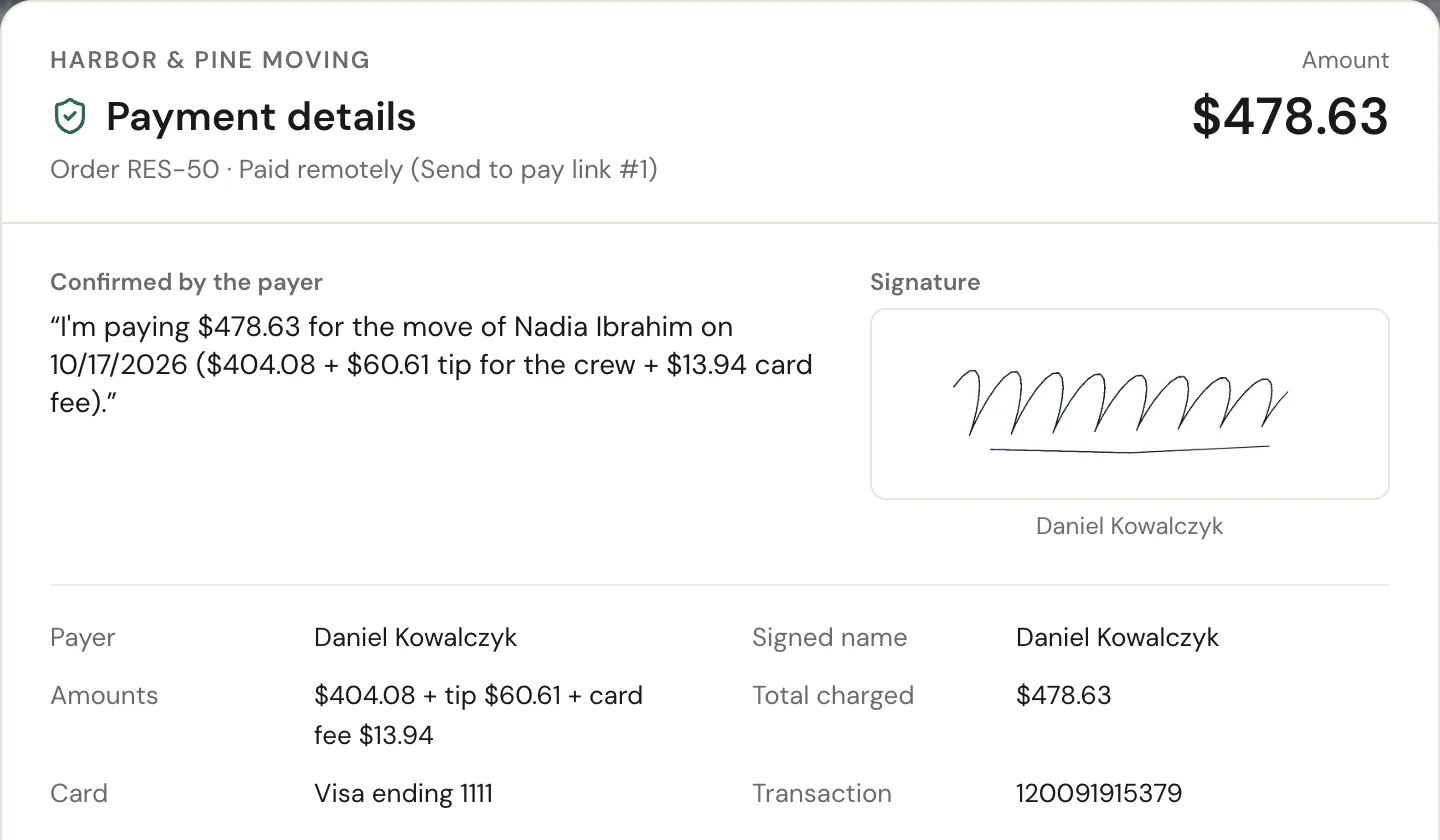
Every try leaves one file in the order's Attachments, named like ID match — Nov 15, 2026 6:58 PM — Passed, paid. It opens the result and why a try did not pass, the covered card photos, the front of the ID, the device, and what happened with the payment: paid, declined with the card's last 4, or not continued. The payment's row in the Payments window links straight to it.
- The record can't be deleted and the customer never sees it
- A try that did not pass keeps its own record
- Only people with See ID match verifications can open the photos
Harbor & Pine MovingNew67°2EdPRPriya RamanCompany AdminPROrder · Attachments
One file for every try
- ID match — Nov 15, 2026 6:58 PM — Passed, paidResult, covered card photos, the ID, the device, and what happened with the paymentPassed
- Payment · $250.00 · card ending 1111ID match: Passed — open recordPaid
- ID match — Nov 14, 2026 4:12 PM — FailedNames don't match: card and IDNot passed
The record can't be deleted from Attachments, and the customer never sees it.
“Mostly time, it's saves you all headache, everything is digital, invoices, booking and everything else.”
By the numbers
1
Card, checked before the charge
A payer who passes pays with the card they verified, and any other card is refused before anything is charged.
What does ID match verification check?
That the name on the card matches the name on the ID and the name the payer typed, and that the card in the photos is the card they then pay with. A face scan can be added for the reasons you choose.
Does MoveBoard store the full card number?
No. The card number, except the last 4 digits, and the security code are covered on the payer's own phone before anything is uploaded. Our check reads the covered photos again, and a photo that still shows more is not kept.
When can I ask customers to verify?
Before paying from a Send to pay link, before the deposit when the move is within 72 hours, on every deposit, on a payment of an amount you choose or more, or on one order that the office picks from its Payments window.
What if the customer has a virtual card?
They tap My card is virtual and upload a screenshot from their bank or wallet app. It is covered on their phone and only the last 4 digits show. In the office the check says Virtual card: screenshot.
What if the customer cannot pass?
They get a short, kind note on what to fix and another try. After 3 tries that do not pass, the page asks them to contact your office and nothing is charged. The office sees a bell and a task, and can mark the order verified by hand with a reason.
Where does the office see the result?
In the order's Attachments, as one ID match record for each try, and on the payment in the Payments window, which links to it.
Who can see the photos?
Owners, admins and anyone you give the permission See ID match verifications. The photos never appear in the customer's portal or in the order's files.
Does it cost extra?
No. ID match verification is included in every MoveBoard plan, with no add-on fee.
Works with
ID match verification hands the work to the next screen.
See your company on MoveBoard.
A live demo built around your own kind of moves: your service area, your pricing, your crews.