
Voicemail drop for movers: Hear the beep, drop the voicemail, dial the next.
When a call you placed from MoveBoard reaches the customer's voicemail, press Drop voicemail and pick a recorded message. MoveBoard plays it into the voicemail for you, hangs up by itself when it ends, and you are already dialing the next lead. Every voicemail left is logged on the order with a player.
- click to leave a recorded message
- 1click to leave a recorded message
- longest message you can record
- 2 minlongest message you can record
- kinds: New lead, Follow-up, Other
- 3kinds: New lead, Follow-up, Other
Included in every plan, with no add-on fee. Each branch has its own recorded messages and its own settings in Settings › Calls › Voicemail drops.
What is voicemail drop in a moving CRM?
Voicemail drop lets a salesperson leave a pre-recorded message in a customer's voicemail with one click, instead of saying it live, and move straight to the next call. In MoveBoard the right message is picked for the lead, a new lead or a follow-up, and every voicemail left is logged on the order with a player.
What it fixes
Voicemail drop for movers, the calls before and after.
Salespeople say the same voicemail forty times a day, and it gets shorter and flatter every time.
Record your best message once; each drop plays it the same way, in your own voice.
Waiting for the beep and talking to a machine eats the time for the next call.
Press Drop voicemail and dial on: the message plays and the call hangs up by itself.
Nobody knows whether this lead already got a voicemail, or which one.
Each drop is a line on the order's log, Voicemail left, with the message's name and a player.
How it works
Record, drop and log, screen by screen.
01 / Record once
Your messages, in your own voice.
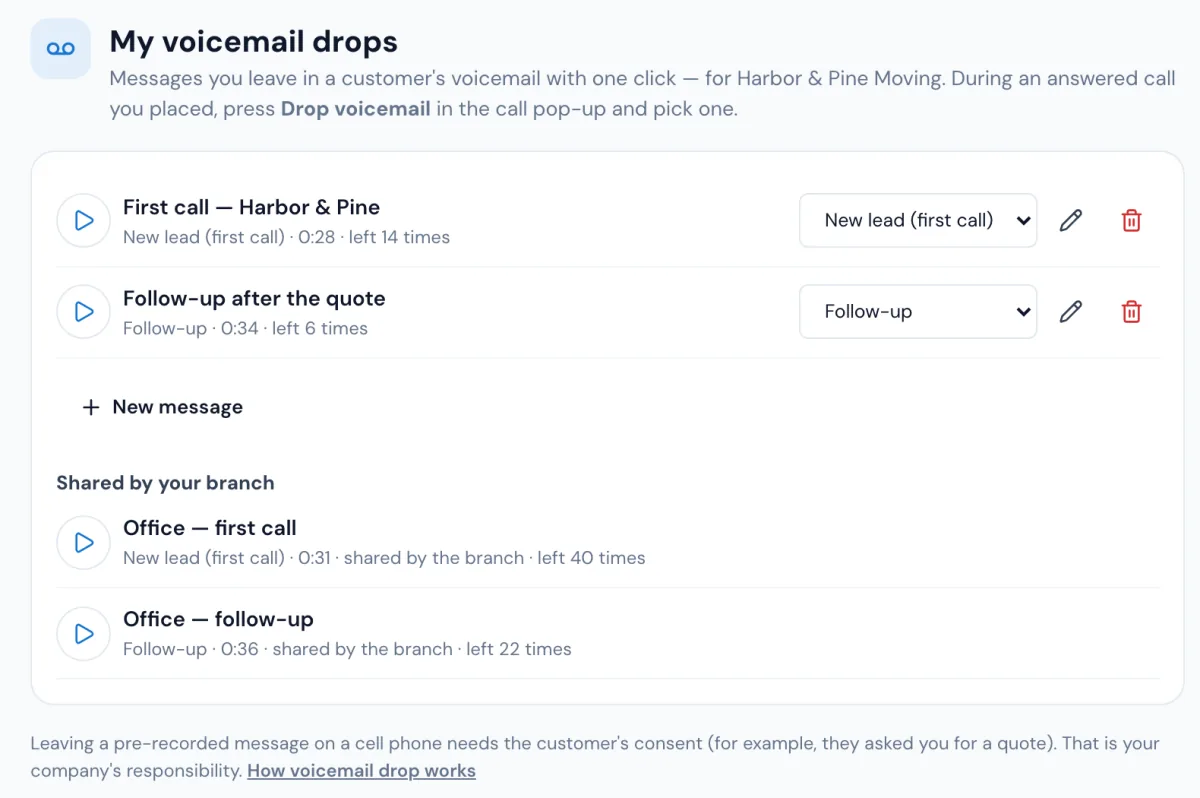
In My voicemail drops, press New message, then Record and say it, or Upload a sound file (mp3, wav, m4a or webm). Listen, give it a name and a kind, and save. Managers record the branch's shared messages in Settings › Calls › Voicemail drops, so everyone in the branch can use them.
- New lead (first call), Follow-up, or Other
- Up to 2 minutes a message
- Each message shows how many times it was left
- Each branch has its own messages, so every brand leaves its own
02 / During the call
The right message, already picked.
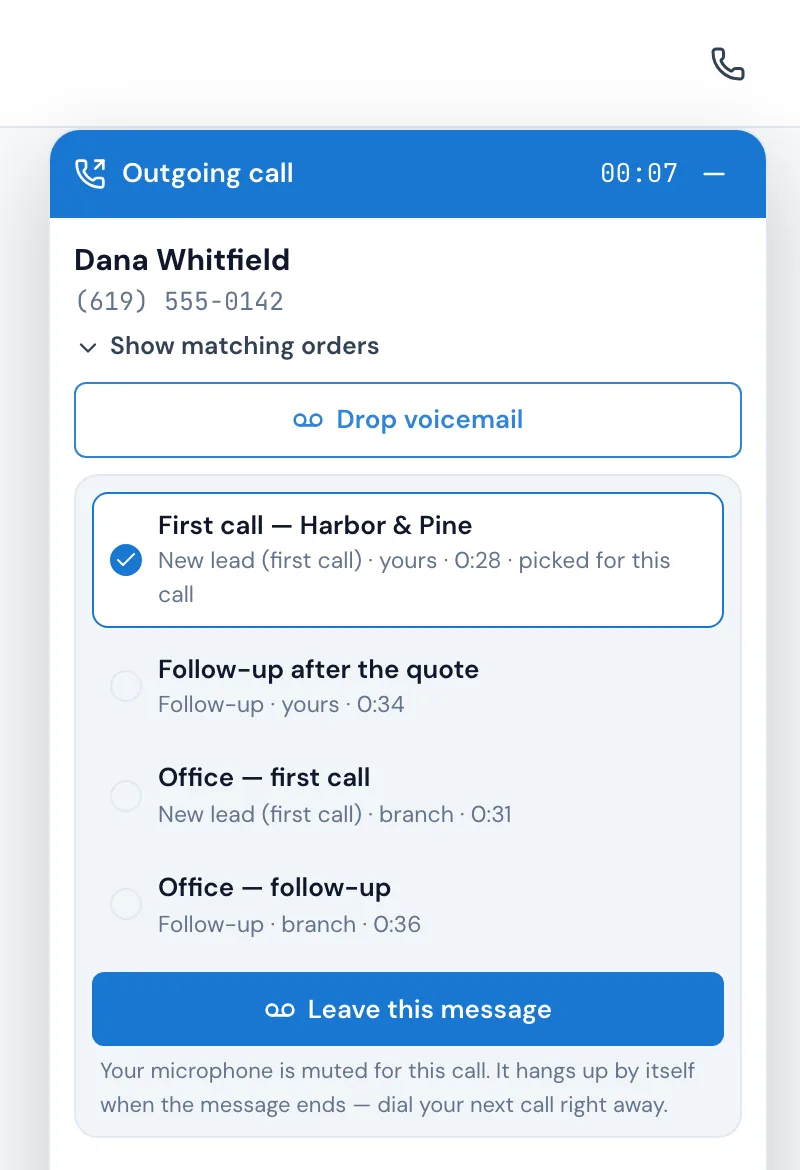
Call the customer from the order or the Phone keypad. When the voicemail answers and you hear the beep, press Drop voicemail in the call pop-up. MoveBoard has already picked the message: New lead for a lead nothing was sent to yet, Follow-up once a quote or any message has gone out, your own before the branch's. Pick another if you like, and press Leave this message.
- Your microphone is muted for that call
- Messages offered are the order's branch's
- Folded call? The voicemail button is on the dark pill in the top bar
03 / Move on
It hangs up by itself. You're already dialing.
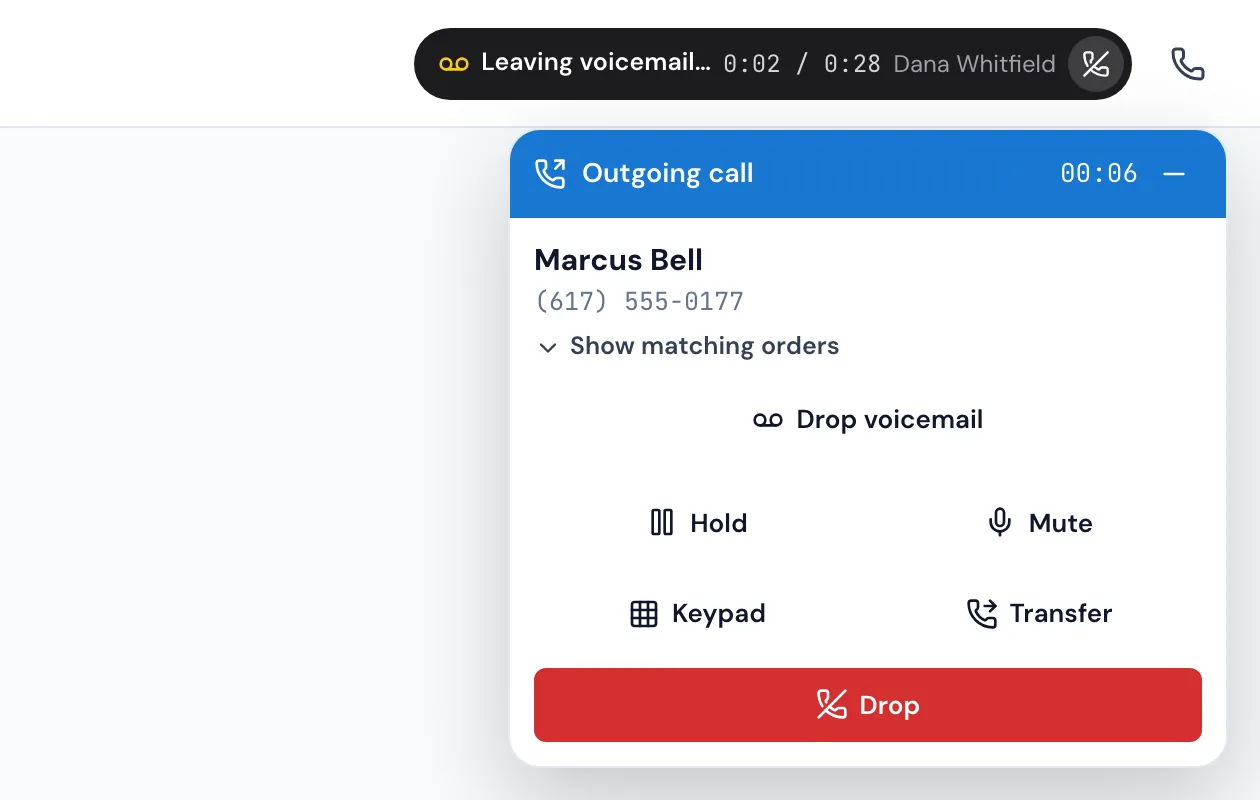
The call moves to a small Leaving voicemail… pill in the top bar that shows how far along the message is, and it hangs up by itself about half a second after the message ends. You can call the next customer right away; press the red button on the pill to hang up early.
- The message plays even while you're on your next call
- If the customer's side hangs up first, the log says cut short
- Close the browser mid-message and the call simply ends
04 / On the order
Every voicemail, on the order's log.
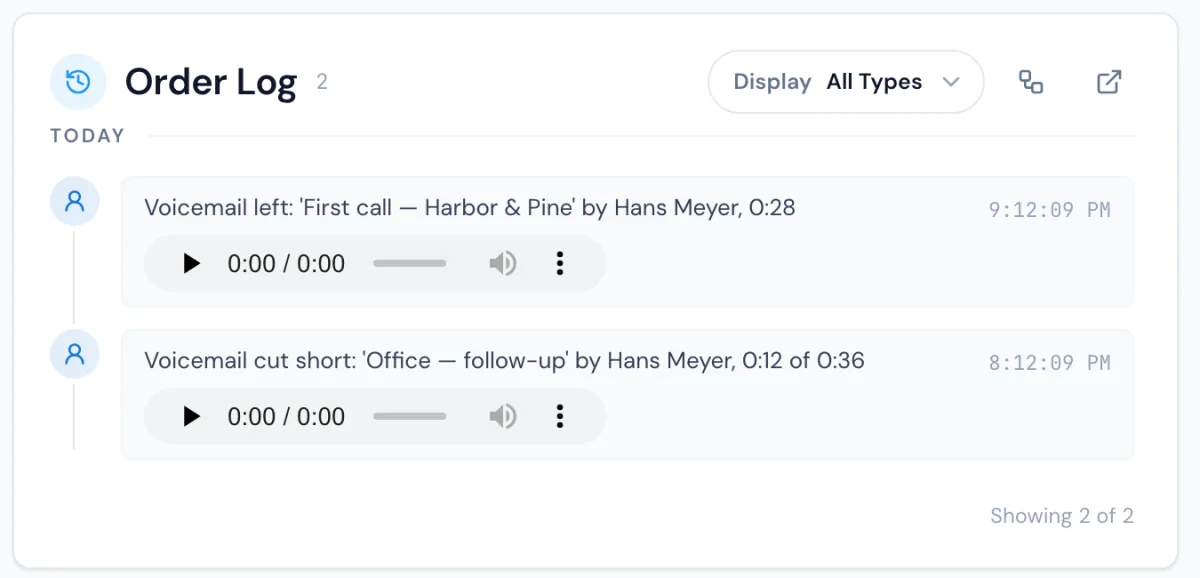
The order you called from gets a line, Voicemail left, with the message's name, who left it and how long it played, and a player to hear exactly what the customer heard. A call from the keypad goes on the customer's newest open order with that number. The Calls page shows the same line on the call's own row.
- Voicemail cut short shows how much played
- A deleted message can still be played on the orders it was left on
- Nothing is logged for a call with no voicemail drop
Then follow up by text
A voicemail left can start a workflow.
In Settings › Communication › Workflows, a workflow can start When a voicemail was left (voicemail drop). Under Only if, use the message's kind, New lead, Follow-up or Other, and the branch. For example: when a follow-up voicemail was left, send the text "Sorry we missed you…". It runs once for each voicemail left.
Leaving a pre-recorded message on a cell phone needs the customer's consent, for example because they asked you for a quote. That is your company's responsibility, and MoveBoard says so on the voicemail drop screens.
Who can use it
Two permissions, set for each person.
Use voicemail drop lets a person record their own messages and leave them; everyone who can see the Calls tab has it until an administrator changes it. Manage branch voicemail drops lets a person record, rename and delete the messages everyone in the branch can use; administrators always have it.
“Mostly time, it's saves you all headache, everything is digital, invoices, booking and everything else.”
By the numbers
1
Line on the order for every voicemail
Voicemail left, with the message's name, who left it, how long it played and a player, so the next person who calls knows what the customer heard.
How does voicemail drop work?
During a call you placed from MoveBoard, when the customer's voicemail answers, press Drop voicemail, check the message picked for you and press Leave this message. MoveBoard plays your recording into the voicemail with your microphone muted, hangs up by itself when it ends, and logs it on the order.
Which message is picked for me?
New lead for a lead you haven't sent anything to yet, and Follow-up once a quote or any message has gone out or the order is past New. Your own messages come before the branch's. Other messages are never picked for you, but you can always choose one.
Can I record the message in MoveBoard?
Yes. In My voicemail drops press New message, then Record, say your message and press Stop, or upload an mp3, wav, m4a or webm file. Listen to it, name it, choose its kind and save. A message can be up to 2 minutes long.
Does it work with several branches or brands?
Yes. Each branch turns voicemail drop on for itself and has its own messages, and an order only offers the messages of its own branch, so each brand leaves its own voicemail.
Can a voicemail send a text afterwards?
Yes. A workflow can start When a voicemail was left (voicemail drop), with Only if the message's kind and the branch, and send a text or anything else a workflow can do. It runs once for each voicemail left.
Do I need the customer's consent?
Leaving a pre-recorded message on a cell phone needs the customer's consent, for example because they asked you for a quote. That is your company's responsibility.
Does voicemail drop cost extra?
No. Voicemail drop is included in every MoveBoard plan, with no add-on fee. Each branch keeps its own messages and settings in Settings › Calls › Voicemail drops.
Works with
Voicemail drop hands the work to the next screen.
See your company on MoveBoard.
A live demo built around your own kind of moves: your service area, your pricing, your crews.