
Task management for moving companies: Follow-ups, nobody forgets.
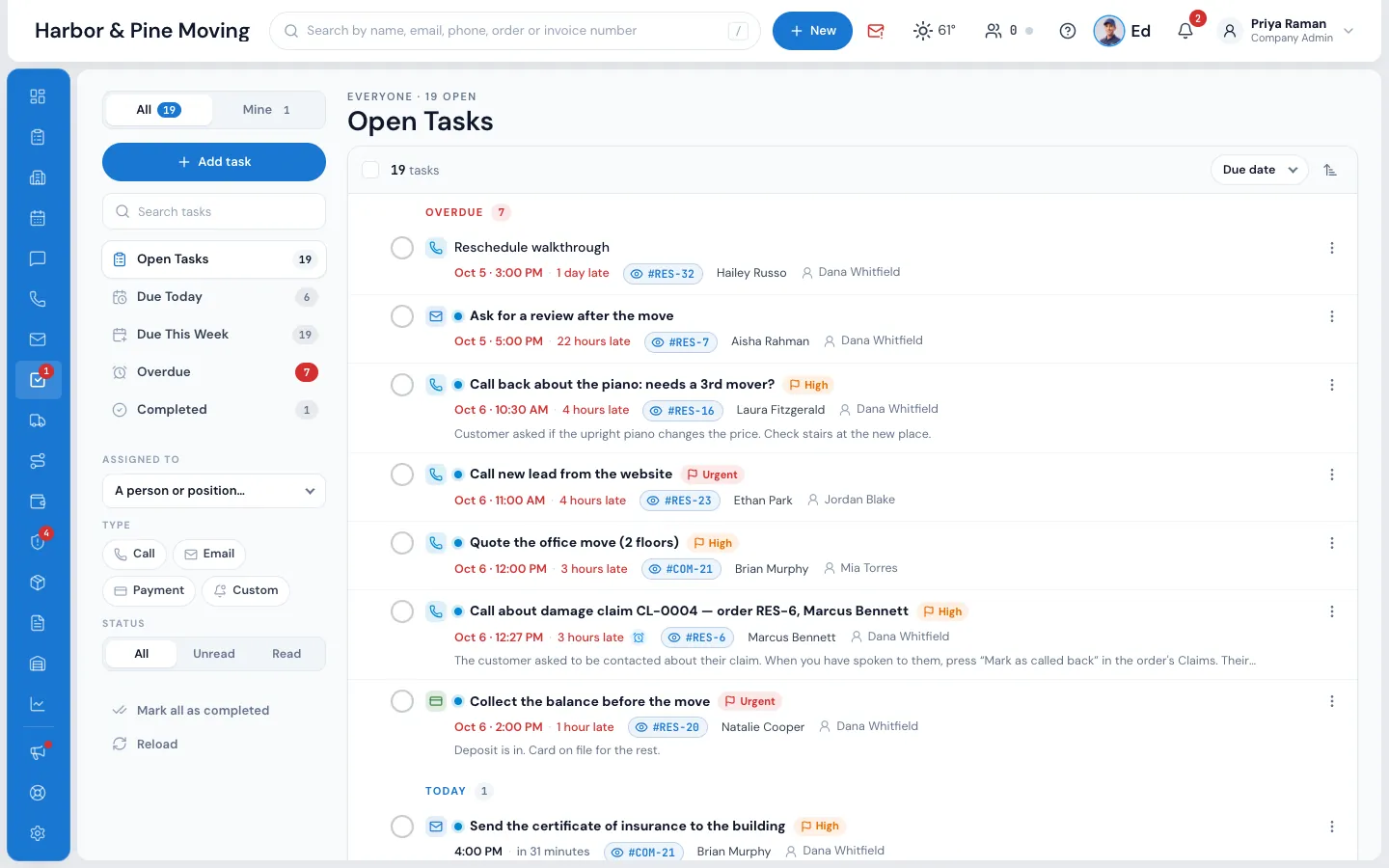
Tasks in MoveBoard are reminders filed under an order or an account: call them back, send the estimate, collect the balance. Each one reminds the person it's for at the time you choose, sits on the order and on the Tasks page, and can be made for you by a workflow.
- kinds: call, email, collect payment, custom
- 4kinds: call, email, collect payment, custom
- views, from Due Today to Completed
- 5views, from Due Today to Completed
- days is the longest snooze
- 7days is the longest snooze
What it fixes
The day before Tasks, and the day after.
Call-backs live on sticky notes, and the lead books with someone else.
Every call-back is a task on the order, with a due time and a reminder.
Nobody knows who promised the customer what, or when.
The task shows who it's for, who completed it and when, on the order and the Tasks page.
The same follow-up has to be remembered on every booked piano move.
A workflow creates the task by itself, for the right person, with its due time.
How it works
Tasks, screen by screen.
01 / Add a task
Who, about what, and when.
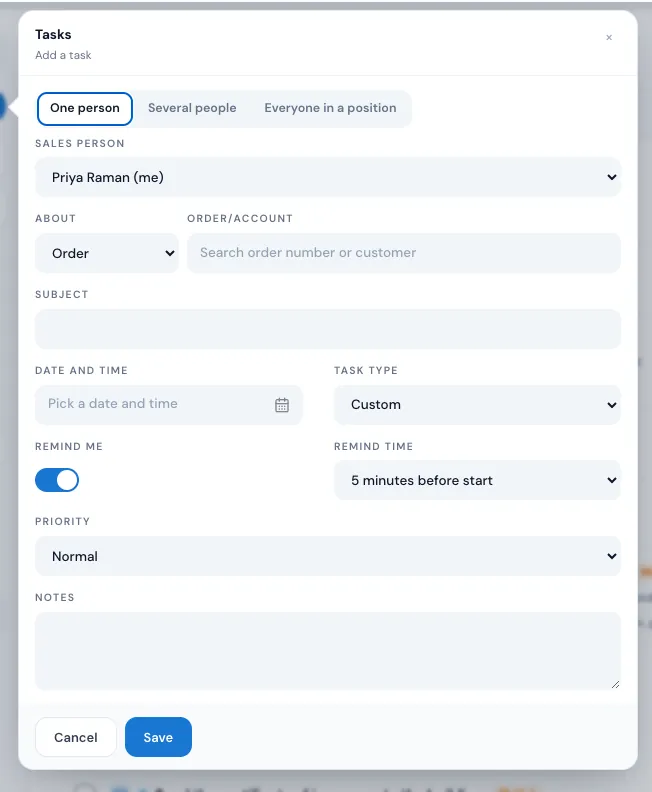
Press Add task on the Tasks page, or New Task from the top bar. Give it to one person, several people or everyone in a position, attach it to an order or an account, and set the subject, the date and time, the kind and the priority. Remind Me is on, five minutes before, unless you change it.
- A task for several people is one task: done by one, done for all
- Low, Normal, High or Urgent, shown as a tag
- Notes for whoever picks it up
02 / On the order
Tasks live where the move lives.
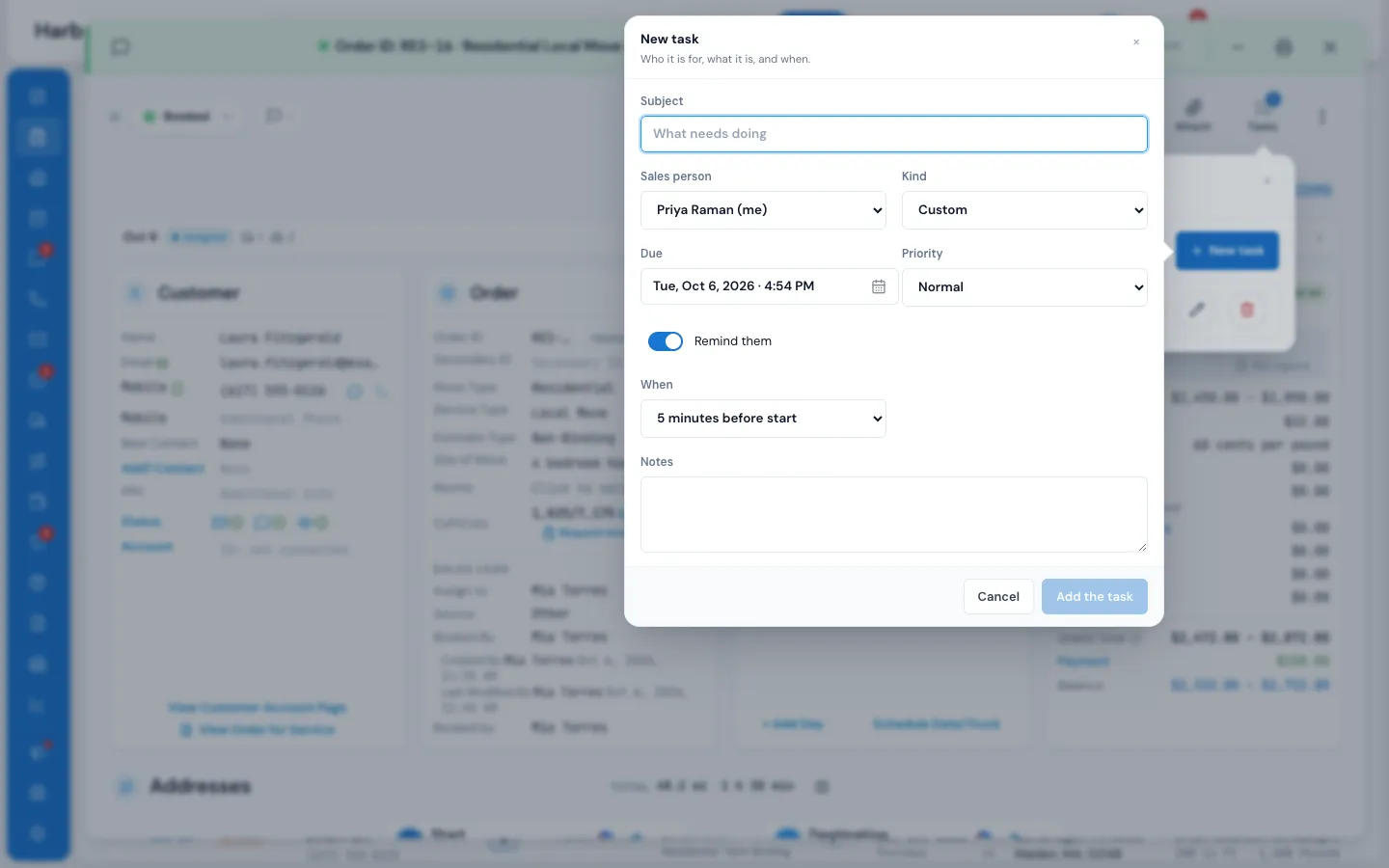
Open an order and press Tasks to see its open and done tasks, and add one without leaving the order. A task shows who it's for, its kind and due time; a passed due time turns red, and marking it done records who completed it and when.
- Remind them from 5 minutes to 6 hours before
- Edit with the pencil, open it again with one press
- The order chip on the Tasks page opens the order
03 / Reminders
A reminder you can act on.
When a task's reminder time comes, a Tasks due card opens with a chime, and a desktop notification if MoveBoard is in the background. Complete it from the card, dismiss it for yourself, or snooze it. Each person also chooses whether a task for them reaches them in the bell, by email or by text.
- Snooze from 5 minutes to 7 days
- Dismiss counts only for you; the task stays open
- The red number on Tasks is your open tasks
Call back about the piano move
#RES-1146Robert Hale10:30 AMHigh
DismissSnooze
Collect the balance before Saturday
#RES-1150Megan Cole11:00 AMUrgent
DismissSnooze
Send the updated estimate
#LD-2238Lina Park11:15 AM
DismissSnooze
5 minutes · 15 minutes · 1 hour · Tomorrow · up to 7 days
04 / Made by workflows
Tasks that always happen.
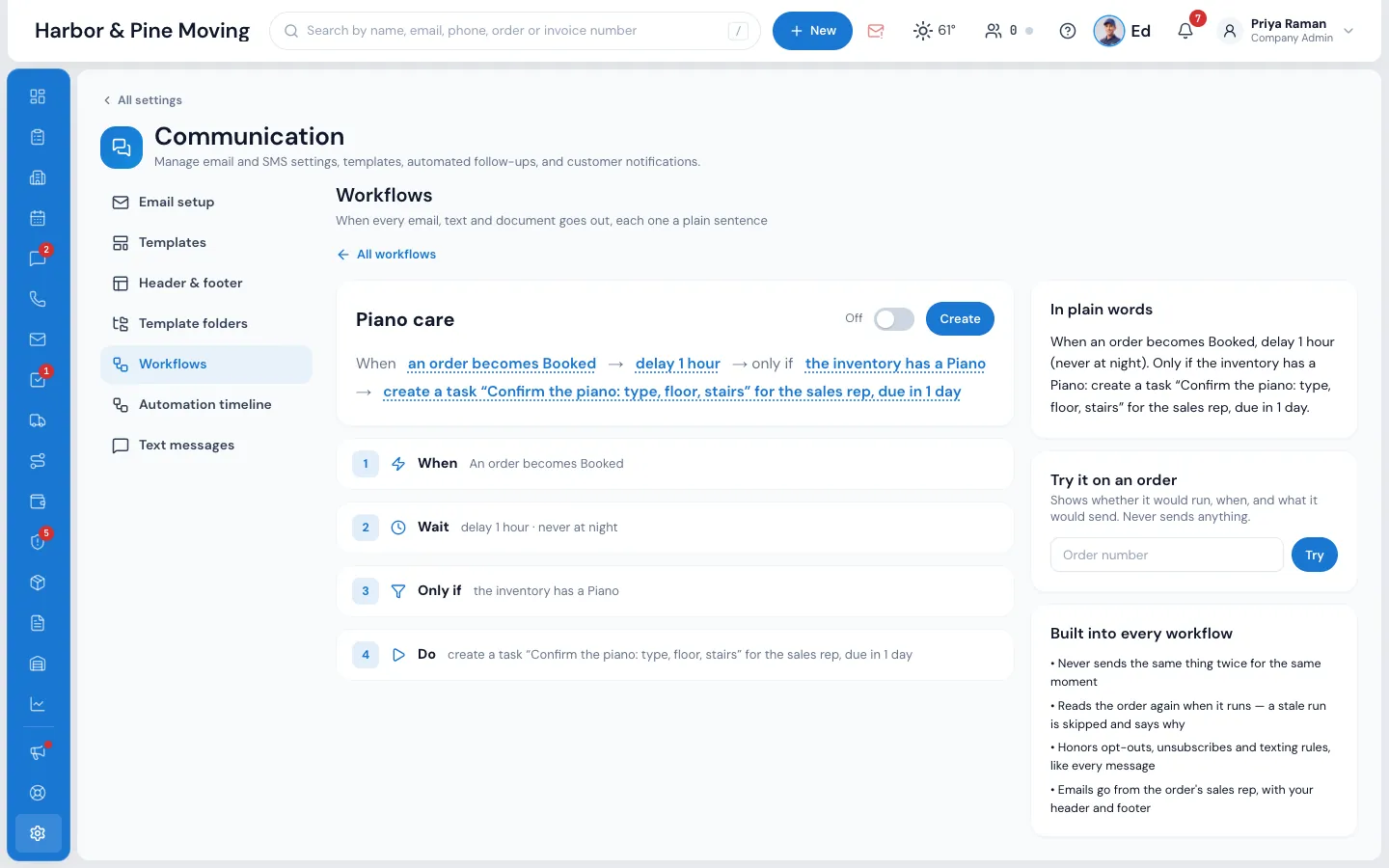
A workflow can hand someone a task when something happens: an order becomes Booked, a lead moves to Follow Up, the inventory has a piano. Choose the title, who gets it, when it's due and its kind. The task is linked to the order and says which workflow made it.
- For the order's sales rep, the dispatchers, every manager, a department or one person
- Due now, or from 15 minutes to 1 week later
- Skipped and logged when there's nobody to give it to
05 / Follow up as you write
Send the message, set the next step.
When you send a text or an email, or add a note on an order, switch on Create a follow-up. Pick the kind, who it's for and when, and a task called Follow Up is added to the order as the message goes.
- No second screen to remember
- Lands on the Tasks page with the rest
Order #RES-1146 · conversation
Write it, and follow up
Hi Robert, I'll ask our crew lead today and call you back on Thursday.
A task called Follow Up is added to the order as the text goes.
06 / Task Performance
See who keeps their word.
The Task Performance report shows tasks made, completed and overdue for each employee over any period, compared with an earlier one. Team Performance puts tasks done next to leads, bookings, revenue and replies for each person.
- Overdue counted as of now
- People who only see their own orders see their own figures
Reports · Tasks
Task Performance
“We don't lose customer anymore, everything is keep on software platform that is easy to use and easier to follow up with customer.”
By the numbers
5
Minutes before, the default reminder
Remind Me is on for every new task, five minutes before it's due; change it per task, from 5 minutes to 6 hours on an order.
Can automation triggers create tasks automatically?
Yes. A workflow's Do card has Create a task: you set the title, who gets it (the order's sales rep, the dispatchers, every manager, a department or one person), when it's due and its kind. It's created by itself whenever the workflow runs, linked to the order.
How are tasks linked to orders?
Every task is about an order or a business account. The order's Tasks panel lists its open and done tasks, and on the Tasks page the order chip opens the order.
What types of reminders are available?
At the reminder time a Tasks due card opens with a chime, plus a desktop notification when MoveBoard is in the background. Each person also picks, in their notification preferences, whether tasks for them come in the bell, by email or by text.
Who can see and manage tasks?
People with Can create task for other users see All and Mine, give tasks to others and change any task. Without it, a person sees and changes only their own tasks.
What happens when a task becomes overdue?
It moves to the Overdue group at the top of the Tasks page, its due time turns red with how late it is, and the Overdue view counts them. It stays there until someone completes it or moves the due time.
Does MoveBoard support task templates?
Yes, through workflows. A task step holds the title, who gets it, the due time and the kind, and creates the same task every time its workflow runs, for example a piano check an hour after a piano move is booked.
Can a task go to a whole team?
Yes. Choose Several people or Everyone in a position. It's one shared task: whoever does it marks it complete, and it's done for everyone.
See your company on MoveBoard.
A live demo built around your own kind of moves: your service area, your pricing, your crews.