
MoveBoard by Elromco: All-in-one moving company software & CRM.
Every lead, every crew, every dollar.
MoveBoard runs your whole moving company on one screen, from the first call to the last paycheck. An AI receptionist picks up the phone. An assistant knows your numbers.

Dashboard · Thursday, October 22
Good morning, Mia here's today
Displaying all orders for every user
Action needed
- 3 leads nobody owns
- 2 unread messages from customers
- 2 jobs going out today with nobody on them
Leads today
7/ 6
est. total $12,300–$15,400
Reserved today
2/ 1
still reserved · est. total $2,600–$3,150
Booked today
3/ 2
est. total $4,150–$4,980
Moves today
5/ 4
est. total $7,820–$9,140
Today 22
5 jobs
$7,820
Fri 23
4 jobs
$6,140
Sat 24
5 jobs
$9,360
Sun 25
2 jobs
$2,980
Sarah K. · 2 bedroom condo
Sat, Oct 24 · Boston → Medford · assigned to Mia
AI Receptionist
on a call · (617) 555-0148
“Do you have a truck Saturday the 24th?”
Yes, we have a crew that morning. A 2 bedroom to Medford runs about $1,150. I’m texting you the quote now.
New lead created · quote texted
What is MoveBoard by Elromco?
One move, start to finish
#RES-1162 · Dana Whitfield
- LeadFrom your website, scored and assignedMon 9:12 AM
- QuotePriced from your own rates, in secondsMon 9:12 AM
- BookedSigned, and the deposit paid onlineMon 7:40 PM
- ConfirmedReplied YES the day beforeFri 10:04 AM
- MovedBill of lading signed on the phoneSat 1:26 PM
- PaidBalance paid on the spotSat 1:31 PM
- PayrollCommissions and tips from the closingSame day
MoveBoard by Elromco is all-in-one moving company software and CRM for local and long-distance movers in the United States and Canada. One subscription covers the whole job: leads and lead scoring, instant online quotes on your own website, online booking with e-signature and a deposit, a customer portal, the calendar and dispatch, the Movers App with an electronic bill of lading and live GPS crew tracking, invoices and payments, storage billing, payroll and commissions, claims, and more than 70 reports. An AI Receptionist can answer your phone and create the lead, and Ed, the AI assistant included in every plan, answers questions from your own orders and numbers. Elromco, Inc. is based in Canton, Massachusetts, has made moving software since 2015, and more than 600 moving companies run on MoveBoard. Prices are on the website: Professional is $289 a month and Enterprise is $399 a month, month to month, with no setup fee and unlimited crew members.
600+ moving companies across the US and Canada run on MoveBoard







Software for movers
Software for movers, from first call to final payment.
MoveBoard is software for movers that runs the whole moving company in one place. A lead arrives from your website, your phone or a lead provider; the moving CRM prices the quote from your own rates; the customer books and pays the deposit online; dispatch sends the crew; the crew closes the bill of lading on a phone; and payroll follows.
Who it's for
The product
What does MoveBoard do?
MoveBoard runs a moving company from one menu: orders and leads, the order window with live pricing, the calendar, dispatch, tasks, claims and the Mover's Portal on the crew's phones. The office, the crews and the customer work in the same system, so nothing is typed twice and every job is one click from the next.
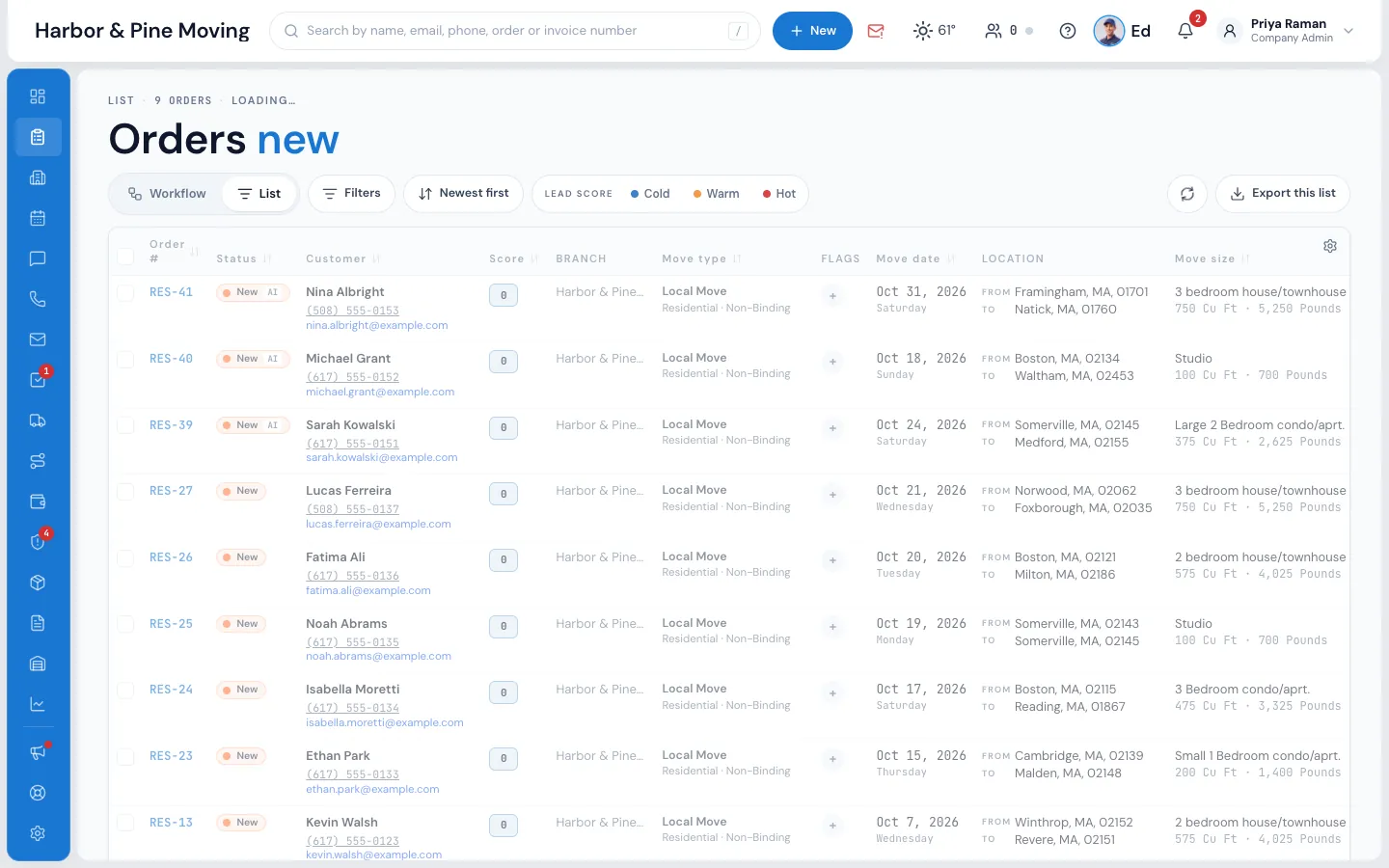
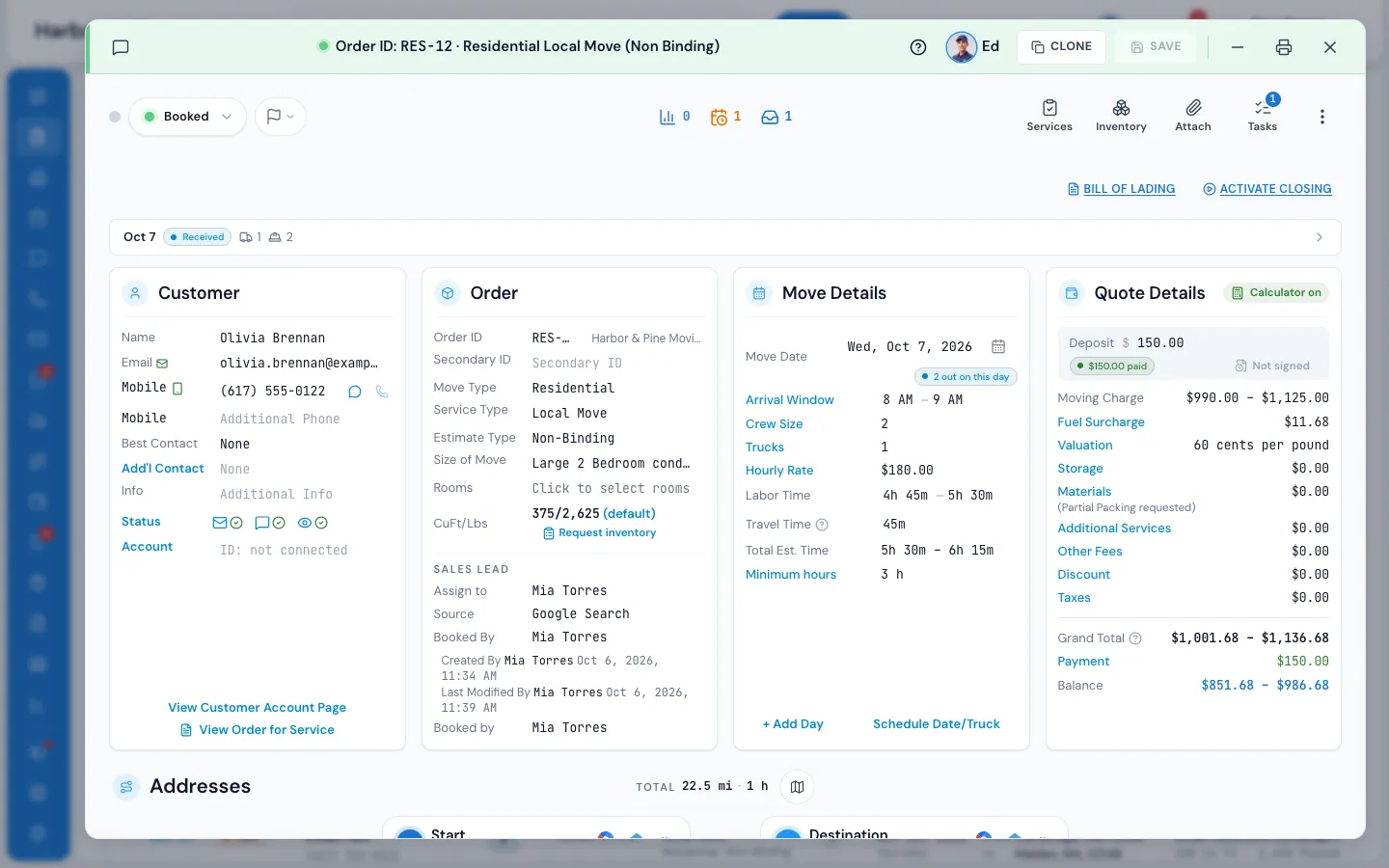
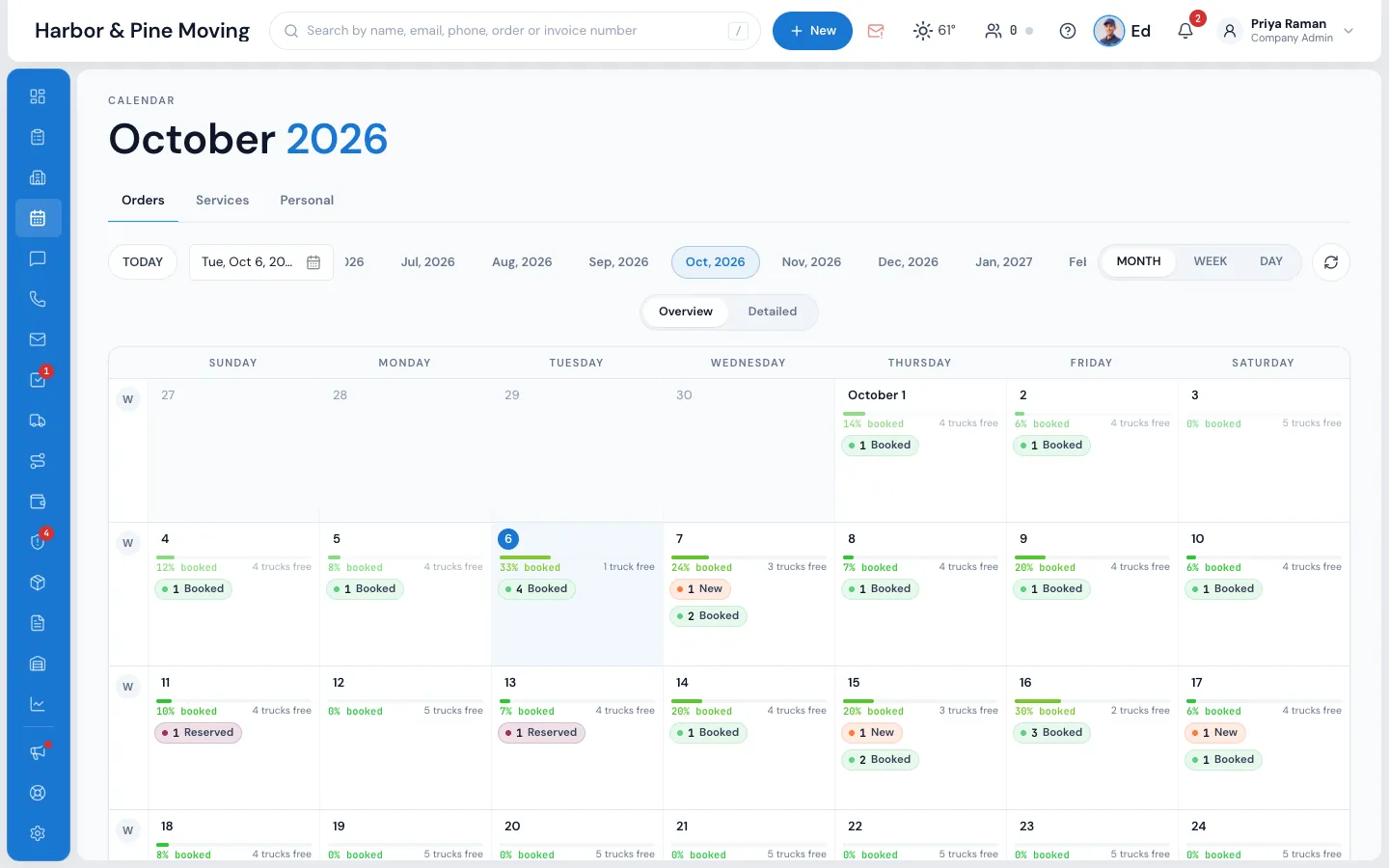
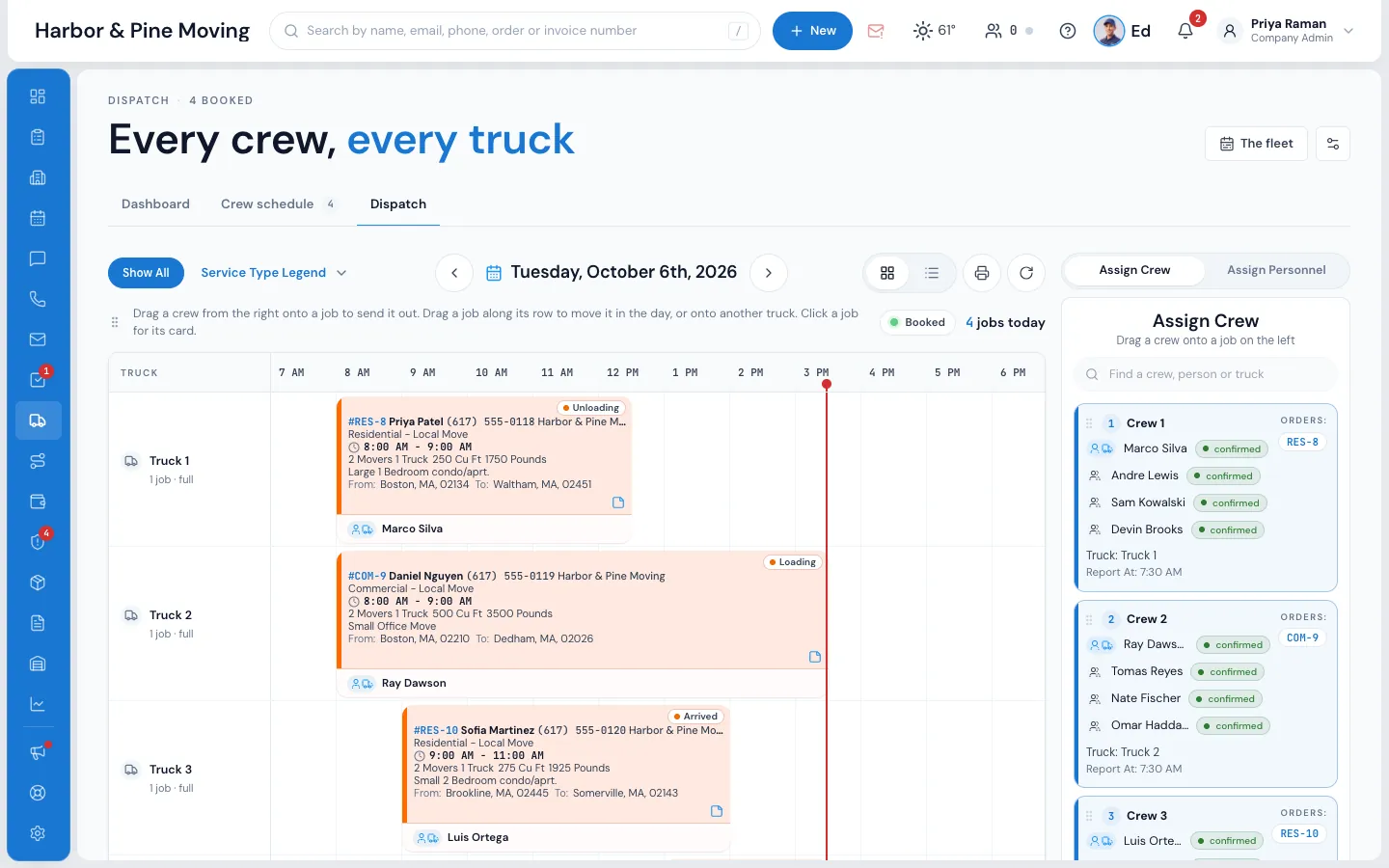
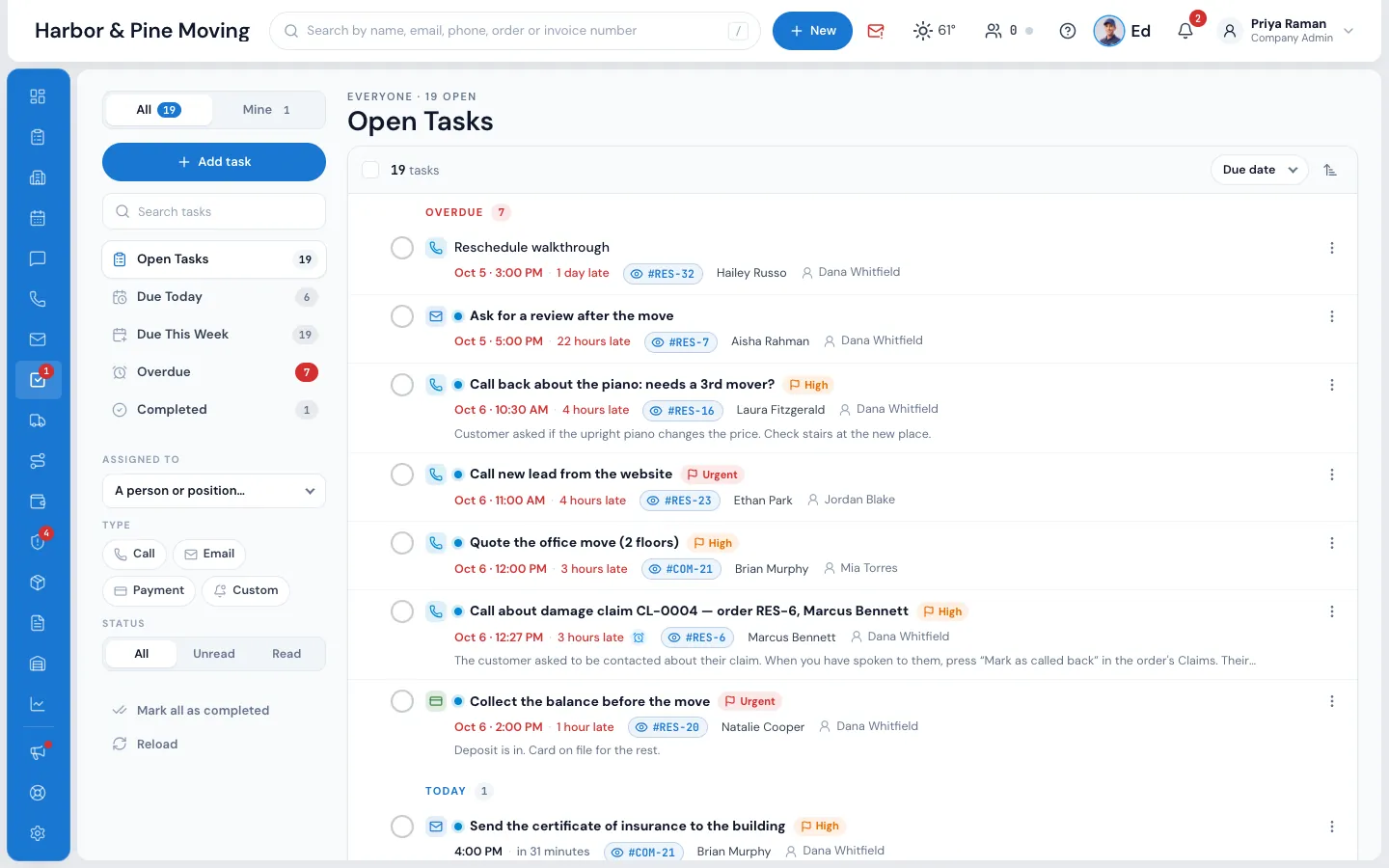
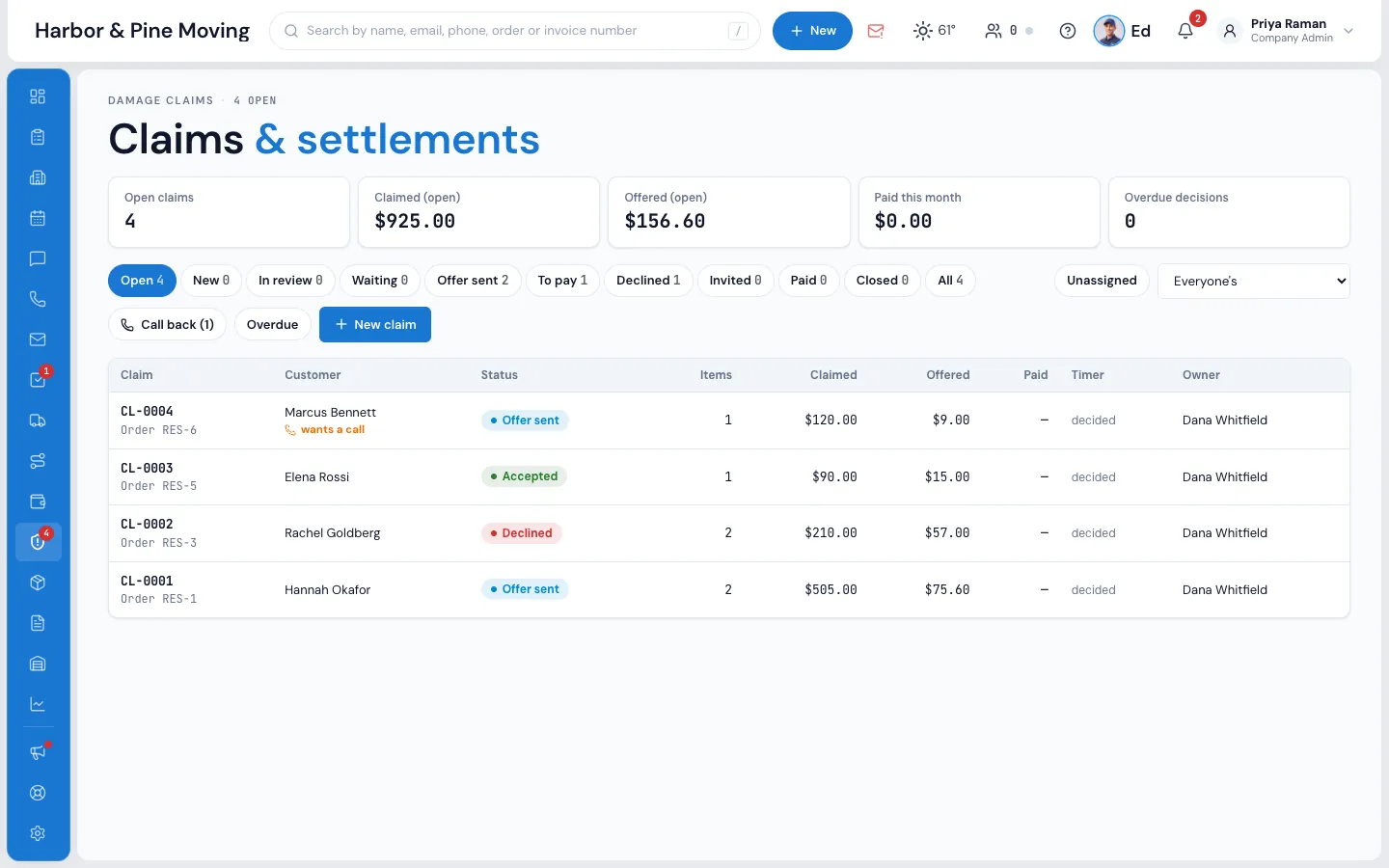
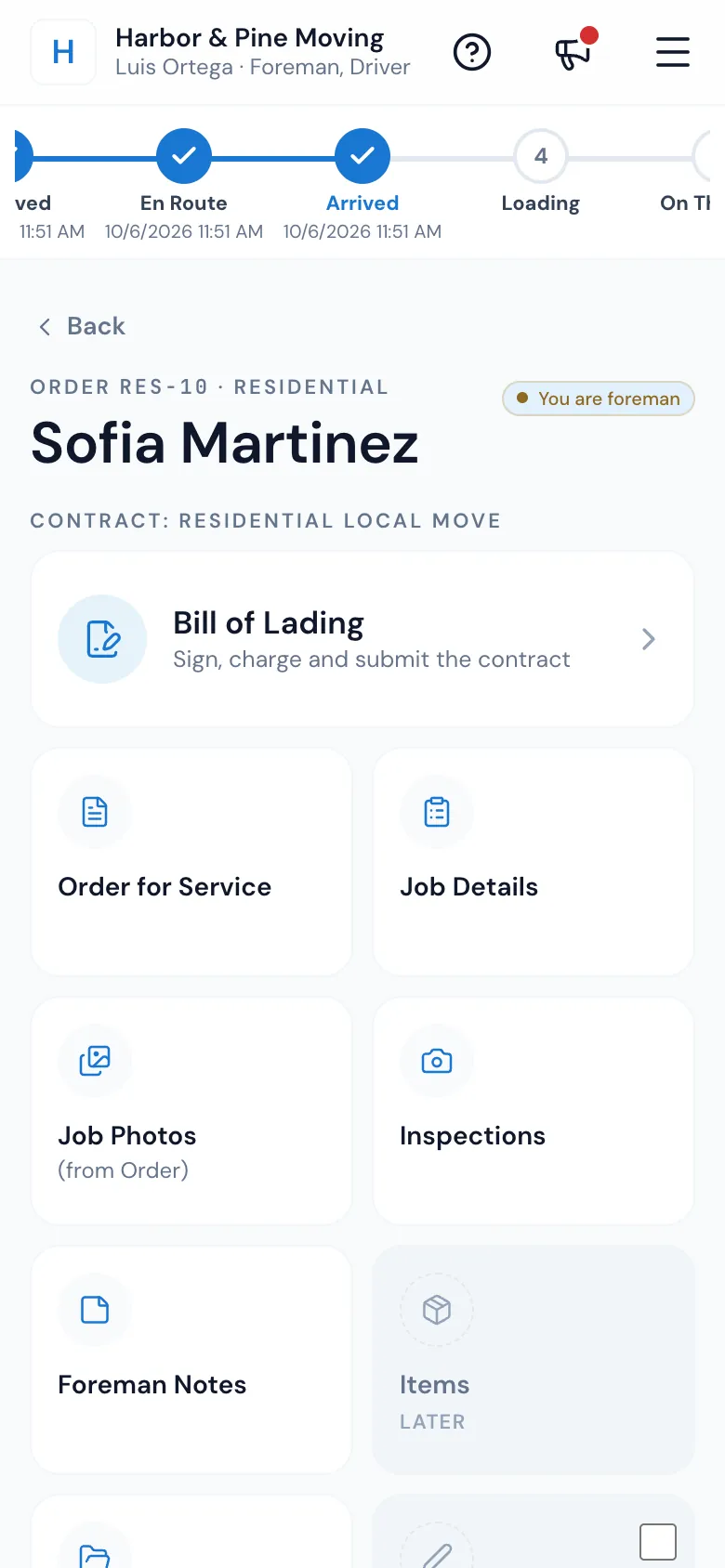
Orders, new leads first
More on Orders- Five stages from New lead to Booked, counted live
- Lead score marks every lead hot, warm or cold
- Every source tracked, from Angi to your own website form
From first call to five stars
How does a move run through MoveBoard?
A lead arrives from your website form, a lead provider or a call the AI answered. MoveBoard prices the quote with your own rates, the customer books, signs and pays the deposit online, dispatch sends the crew, the crew finishes the bill of lading on a phone, and payroll is worked out from the closing.
AI, built into the work
What does the AI in MoveBoard do?
Two things. The AI Receptionist answers your calls (all of them, only the ones you miss, or after hours), asks the estimate questions, prices the move with your pricing and creates the lead. Ed, the AI assistant in every plan, answers questions from your own orders, schedule and numbers, and sends texts, emails and tasks after you confirm.
AI Receptionist
Phone AI · on your own number
It picks up every call, only the ones you miss, or after hours. It asks the estimate questions, prices the move with your pricing, creates the lead and texts the customer, while you are on the truck.
- Recording, transcript and summary on the order
- Transfers the call when a person should take it
- Call-back tasks for your team
- Every AI lead counted in AI Leads

Ed, your assistant
In every plan · ⌘J from any screen
- Answers from your orders, schedule and numbers
- Texts, emails, tasks and notes, after you confirm
- Only sees what you are allowed to see
Everything in the menu
What is included in MoveBoard?
Every screen in the menu below: orders, AI Leads, accounts, calendar, messages, calls, mail, tasks, dispatch, the trip planner, payroll, claims, box deliveries, invoices, storage, reports, the Movers App, the customer portal and your online forms. Both plans include unlimited crew members and free setup, training and support. Enterprise adds unlimited office users and multi-branch management.
- DashboardToday at a glance
- OrdersLeads to booked
- AI LeadsWhat the AI brought in
- AccountsRealtors and companies
- CalendarTrucks by the day
- MessagesTexts and email
- CallsRecorded and filed
- MailGoogle or Microsoft
- TasksNothing forgotten
- DispatchCrews and trucks
- Trip PlannerLong-distance loads
- PayrollFrom the closing
- ClaimsBy the book
- Box deliveriesBoxes to the door
- InvoicesPay links and cards
- StorageBilled monthly
- Reports70+ and counting
- Movers AppThe crew's phone, live on a map
- Customer portalNo password needed
- Online formsOn your website
- Help center570+ guides
Integrations
What does MoveBoard connect to?
MoveBoard connects to RingCentral for calls, Stripe or Authorize.net for card payments, and your Google or Microsoft mailbox and calendar. Leads come in straight from Angi, HomeAdvisor or any other provider through the lead API, and from the quote forms on your own website, so nobody has to type a lead in by hand.
All integrationsBoard
- RingCentral
- Gmail
- Microsoft 365
- Google Calendar
- Google Maps
- Stripe
- Authorize.net
- Angi
- HomeAdvisor
- Lead API
Pricing
How much does MoveBoard cost?
MoveBoard has two plans and both prices are published. Professional is $289 a month with three office users included. Enterprise is $399 a month with unlimited office users and multi-branch management. Both are month to month, with no setup fee and no contract, and your crew members never cost a seat.
Professional
Everything a moving company needs to run.
$289/month
New sign-ups: pay for 1 month, get 2
- 3 office users included
- Unlimited crew members
- Orders, quotes, online booking
- Dispatch and the Movers App
- Electronic bill of lading
- Invoices, payments, storage
- Ed, the AI assistant
- 500 texts a month included
- Free setup, support and training
Enterprise
For growing companies and several branches.
$399/month
New sign-ups: pay for 1 month, get 2
- Unlimited office users
- Unlimited crew members
- Everything in Professional
- Multi-branch management
- Advanced reporting
- 1,000 texts a month included
- Custom integrations and API access
- Priority support
- Dedicated onboarding
Compare every detail on the pricing page.
What do movers say about MoveBoard?
Owners and managers who review MoveBoard on Capterra write about customers booking their move online, the bill of lading on an iPad, payroll done automatically, and a support team that answers and fixes things fast. Here are three of their reviews, from an owner, a manager and an operations manager.
“The best moving software I have used in the past 10 years.”
“My customers can book their move online, the bill of lading is on an iPad, and payroll is done automatically. I don't understand how I worked before this software.”
“The team behind the software is very responsive. Any questions we had were answered and fixed very fast.”
How is MoveBoard different from SmartMoving and Supermove?+
MoveBoard by Elromco publishes its prices: $289 or $399 a month, month to month, with unlimited crew members. SmartMoving and Supermove do not publish prices on their websites and quote through sales (checked September 2026). MoveBoard also lets customers serve themselves, with instant quotes on your own website, online booking with e-signature and a deposit, and a customer page that needs no password. All three answer the phone with AI; MoveBoard adds Ed, an assistant in every plan that answers from your own data. We move your data over from SmartMoving or Supermove for free.
How long does it take to get set up?+
Most companies are fully set up within 1–2 weeks. We configure your account, install the forms on your website, set up the customer portal and your templates, and train your team. It's all free; there are no setup fees.
Can I move my data over from my current software?+
Yes. We bring your data over from SmartMoving, Supermove, MoveitPro, spreadsheets and other systems, and the onboarding team stays with you until your office is running.
Do my customers need an account or a password?+
No. Customers open their own page from a personal link, or sign in with a code we text them. They see their quote, book, sign and pay without making an account.
Is the AI part of MoveBoard?+
Yes. Ed, the AI assistant, comes with every plan, and the AI Receptionist answers calls on your own number.
Is there a contract?+
No. MoveBoard is month to month and you can cancel at any time.
What kind of support do you offer?+
Free support by phone, email and chat, free training for your whole team, and a help center with more than 570 step-by-step guides.
Side by side: MoveBoard vs SmartMoving · MoveBoard vs Supermove
See your company on MoveBoard.
A live demo built around your own kind of moves: your service area, your pricing, your crews.