
Moving company customer portal: Their move, in their pocket.
Every customer gets their own portal for their move: the quote, the inventory, the date, booking and paying, messages, invoices and storage. They sign in with a code texted to their phone, it wears your colours and your words, and it can live on your own website.
- passwords: a texted code or their own link
- 0passwords: a texted code or their own link
- days each sign-in link keeps working
- 90days each sign-in link keeps working
- things you let customers do, or not
- 14things you let customers do, or not
What it fixes
The day before Client portal, and the day after.
Every date change, new address and "what's my balance?" is a phone call.
Customers change their own move, see their quote and pay, and the order is re-priced and logged.
Customers forget passwords and give up on the portal.
There is none: their link signs them in, or a six-digit code by text.
The portal looks like somebody else's software.
Your colours from your logo, your words on every label, on a page of your own website.
How it works
Client portal, screen by screen.
01 / Signing in
No password, ever.
Every email and text you send carries the customer's own link, which signs them straight in and opens the right page. On the sign-in page they type their mobile number and the six-digit code you text them. The page never tells a stranger whether a number is one of your customers.
- Links keep working for 90 days, then a code takes over
- Text me a new code, or Use a different number
- Short links on your own website address
Harbor & Pine Moving
Sign in
Your quote, your inventory and your booking, all in one place.
Mobile number
(617) 555-0131
Six-digit code
Text me a new codeUse a different number
02 / Their Home
Where the move stands, in plain words.
Home shows the progress from quote to booked, the status with the next step, the move details, the quote, addresses, inventory and add-on services. Customers change their own date on a calendar coloured by your prices, their move size, addresses and contact details, and each change is saved and re-priced straight away.
- Locked once the move is Reserved, Booked or Postponed
- The Order Log records what the customer changed
- Your team hears Customer changed their move, once
- Request a new move, for returning customers
Change your move date
October 2026
Office: Customer changed their move · Oct 24 → Oct 26 · re-priced
03 / Book online
Sign, pay the deposit, booked.
When an order can be booked online, Home shows a booking banner. The customer agrees to e-signatures, reads the Order for Service, agrees to your policies, signs, and pays the deposit by card. Nothing is signed until the deposit goes through. The order becomes Booked, the signed document is filed, and the deposit is in the payments.
- Protection plan and packing chosen on Home
- Invoices paid by card, with a tip for the crew
- Storage customers pay and set their autopay card
Order for Service · #RES-1146
Agree to use electronic signatures
Review your order for service
Company Policies and Cancellation Policy
Adopt your signature, then Sign here
Nothing is signed until your deposit goes through.
04 / Talking to you
Messages, notes and files, on the order.
Messages goes straight to the customer's moving specialist, with photos and files attached. Notes holds what you share and what they add. Files has their photos and documents. Everything lands on the order in the office, and from the order you can open their portal exactly as they see it to help them on the phone.
- Your own FAQ in their menu
- Custom blocks on Home by status, service and move type
- Send messages, Write notes and Upload files can each be switched off
Harbor & Pine Moving
Messages
Anything you write here goes straight to your moving specialist.
Jamie M. · 10:12 AM
05 / Sign and claim
Paperwork signed before the truck comes.
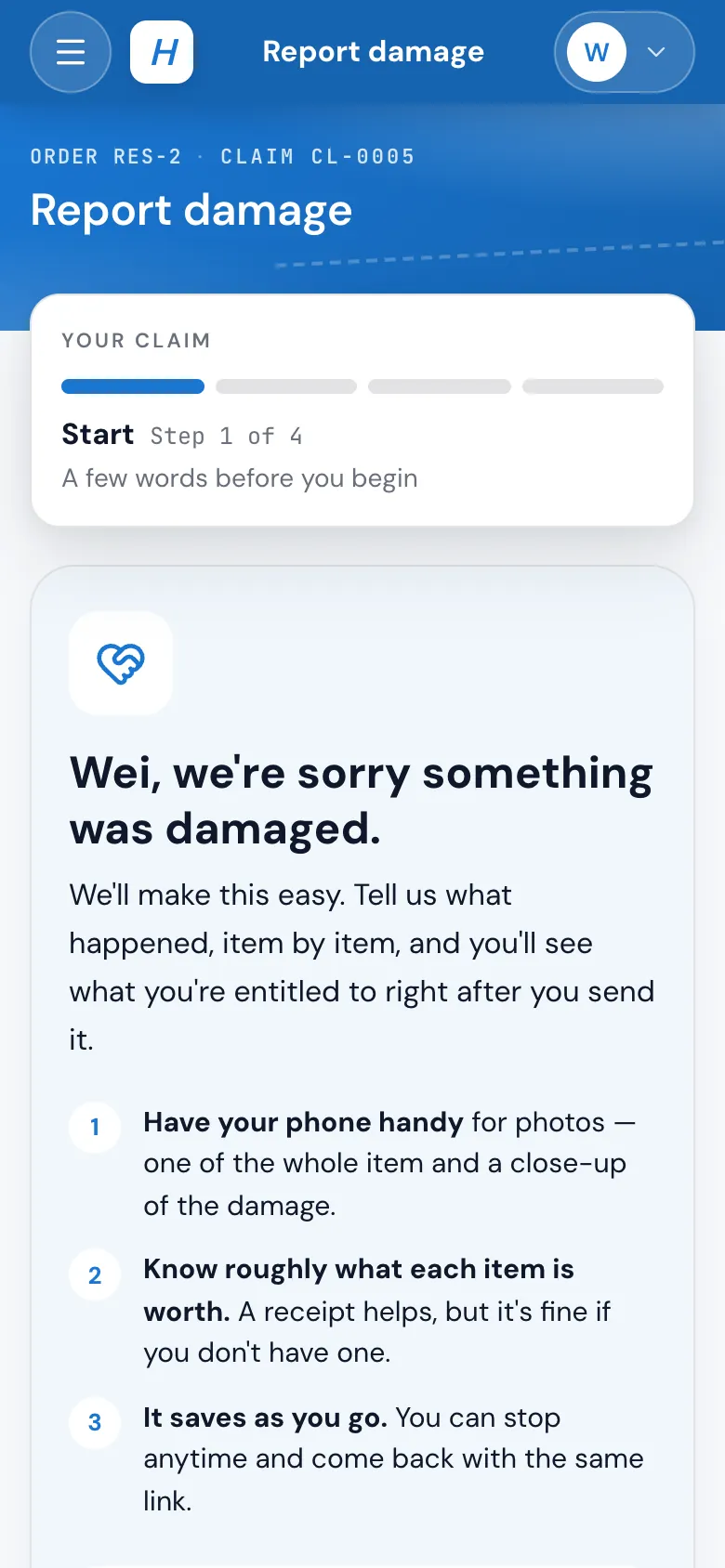
A booked long-distance move asks the customer to sign the bill of lading in the portal before pickup: Sign Bill of Lading on Home, then View your signed bill of lading. Documents you write, like a damage waiver or a stairs release, wait under Documents to read and sign. After the move, Report damage walks them through a claim with photos of each item, then shows the offer they can accept and sign.
- Signed at least 3 days before the pickup date
- Signed documents land in the order's attachments as a PDF
- Change orders from the day are there to read; they're signed with the crew
- Accept and sign the release, or ask for a call
06 / Make it yours
Click anything, change it.
Settings › Customer experience › Client portal shows the real portal in design mode. Click any part to hide it, reword it or recolour it, for every move or one service type. Switch on or off what customers may do, choose whether they see a range, an estimate or the hourly rate, and let Match my brand build a theme from your logo or website.
- Desktop and Phone views
- Nothing reaches customers until you press Save
- Hard-to-read colours named and fixed for you
Settings · Customer experience · Client portal
Your client portal, in design mode
Click anything in it to hide it, reword it or change its color.
Visibility Shown
What customers can do
Book / sign order for service
Pay deposit
Wording
Book Your Move
Color
Save07 / On your website
The portal, on your own site.
Install gives you one line to paste on a page of your website, such as My move. Customer links use your website's address, and when your site carries your MoveBoard website-forms script, a customer's link opens the portal over your site at once. A small Powered by MoveBoard sits in the corner.
- Works in WordPress, Wix and Squarespace
- Each branch has its own line
- A plain frame for builders that don't take scripts
Put the portal on your website
Each branch has its own line
Embed code (recommended)
<script src="…/portal.js" data-branch="…"></script>
Paste it on a page such as "My move". In WordPress, Wix or Squarespace use an HTML or Embed code block.
“The way that they can book the job request online while I am handling other task is fantastic.”
By the numbers
14
Customer actions you switch on or off
Edit contact details, change the date, addresses, move size and inventory, write notes, upload files, send messages, book and sign, pay the deposit, pay invoices, choose protection and packing, and pay storage.
Can customers sign the long-distance bill of lading online?
Yes. When a long-distance move is booked, Home asks them to review and sign the bill of lading in the portal, at least 3 days before pickup. Local moves are signed with the crew on the day.
Can customers file a damage claim in the portal?
Yes, from the link your office sends or from Report damage in the portal menu if you turn it on. They list each item with photos and its weight, send the claim, and later see the offer, which they can accept and sign or answer with a request for a call.
How does the white-labeling work?
In the client portal designer you set the colours (Match my brand suggests a theme from your logo or website), reword any label and hide what you don't use. The portal can sit on a page of your own website, and customer links use your website's address. A small Powered by MoveBoard line sits in the corner.
How do customers sign in?
Without a password. Every email and text carries their own link, which signs them in for 90 days. On the sign-in page they type their mobile number and the six-digit code you text them.
Can customers book directly from the portal?
Yes, when the order is Can Book Online or Reserved. They agree to e-signatures, read and sign the Order for Service, agree to your policies and pay the deposit by card. The order becomes Booked and the signed document is filed on it.
What happens when a customer changes something?
The change is saved on the order and the price is worked out again: a new date, size, address or inventory. The Order Log records it, and your settings decide whether the order goes to New-Info for the office to check or stays bookable.
Do I get notified when customers make changes?
Yes, by the notifications each person chooses: Customer changed their move, Booked online, Customer message or text, Customer added a file or note, Customer paid online. Each can come in the bell, by email or by text.
Can I see what my customer sees?
Yes. Open their portal from the order or a business account, read-only, exactly as they see it, to walk them through it on the phone.
Can customers track the movers on a map?
Not yet. Today the foreman presses EN ROUTE and the customer gets a text with the arrival time.
Works with
Client portal hands the work to the next screen.
See your company on MoveBoard.
A live demo built around your own kind of moves: your service area, your pricing, your crews.