
Team chat for moving companies: Your office, talking inside MoveBoard.
Office chat is a chat for the people in your office, built into MoveBoard and working like WhatsApp: one-on-one chats and groups, ticks that turn blue when read, who's online, photos and files. Type an order number and it becomes a card that opens the order, so the conversation about a move sits right next to the move.
- other apps: it opens from the top bar
- 0other apps: it opens from the top bar
- kinds of number that become cards
- 5kinds of number that become cards
- blue ticks once they read it
- 2blue ticks once they read it
Included in every plan, with no add-on fee. An administrator sets how long messages are kept in Settings › Communication › Office chat, and permissions decide who makes groups and who chats across branches.
What is Office chat in MoveBoard?
Office chat is MoveBoard's built-in team chat for a moving company's office: sales, dispatch, managers and owners. It works like WhatsApp, with one-on-one chats, groups, read ticks and files, and it knows your orders, so an order, storage, invoice, claim or trip number in a message opens that record for anyone allowed to see it.
What it fixes
Team chat for movers, where the work already is.
Dispatch asks sales about a move on a personal phone, and the answer never reaches the order.
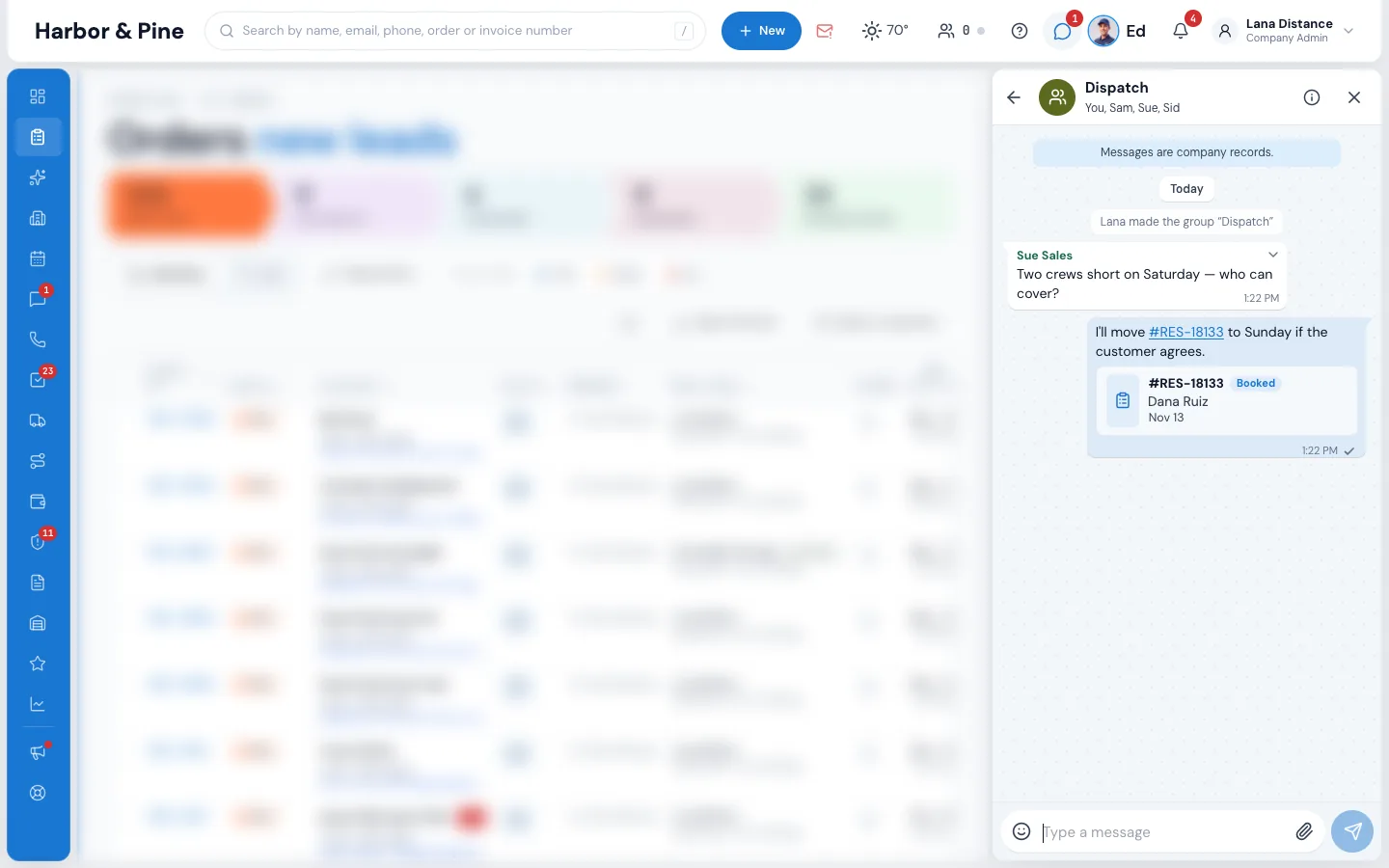
The chat opens beside the order, and the order number in a message opens the order itself.
"Did you see my message?" Nobody knows who read what, or who is even at their desk.
Grey ticks when it arrives, blue when it's read, and a green dot for everyone who has MoveBoard open.
Company talk sits in a dozen private apps the owner can't see and can't keep.
Every message is a company record, kept as long as you choose, and owners can review conversations.
How it works
Chats, groups and order cards, screen by screen.
01 / Open it anywhere
Beside the page, never instead of it.
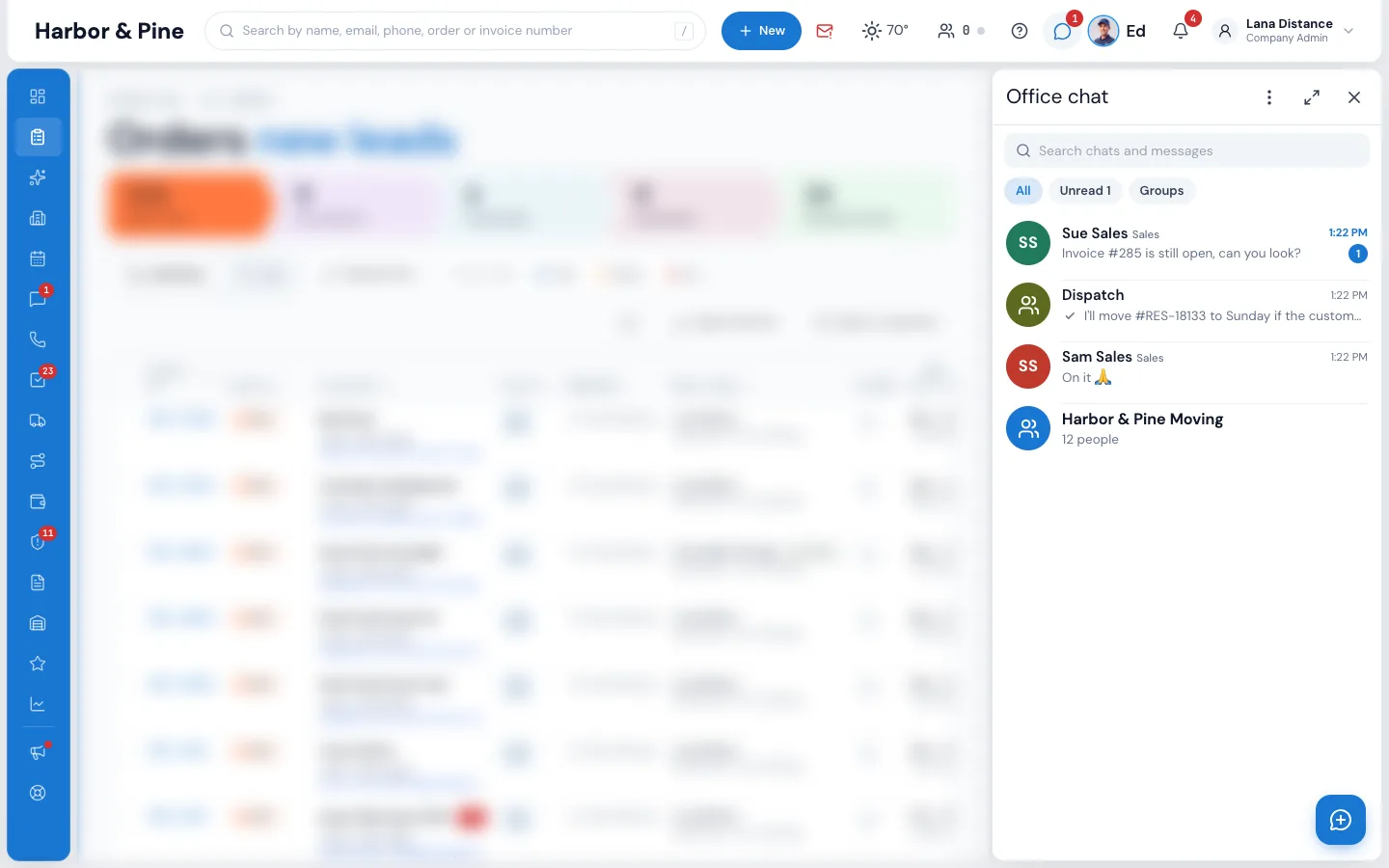
Press the chat bubble in the top bar, beside Ed and the bell; the red number is how many chats have unread messages. The chat opens on the right and the page moves over to make room, so you keep working while you talk. It stays open from page to page, moves into an order window when you open one, and can be widened or used full screen.
- Search chats and messages, or show Unread or Groups only
- Drag its left edge to make it wider
- On a phone it opens full screen
02 / Chats and groups
One-on-one, groups, or the same note to several.
Press the pencil, pick one person and press Chat. Pick several and send one message, and each person gets it in their own one-on-one chat, without seeing who else got it. Or pick them and press Make a group, then name it. Every branch also has its own group with all its office people, and with several branches there is an All branches group; new people join them by themselves.
- Making groups needs the Create groups permission
- With several branches you chat with the people of your branches
- Chat with other branches lets a person reach everyone
03 / Order numbers become cards
Write the number, open the record.
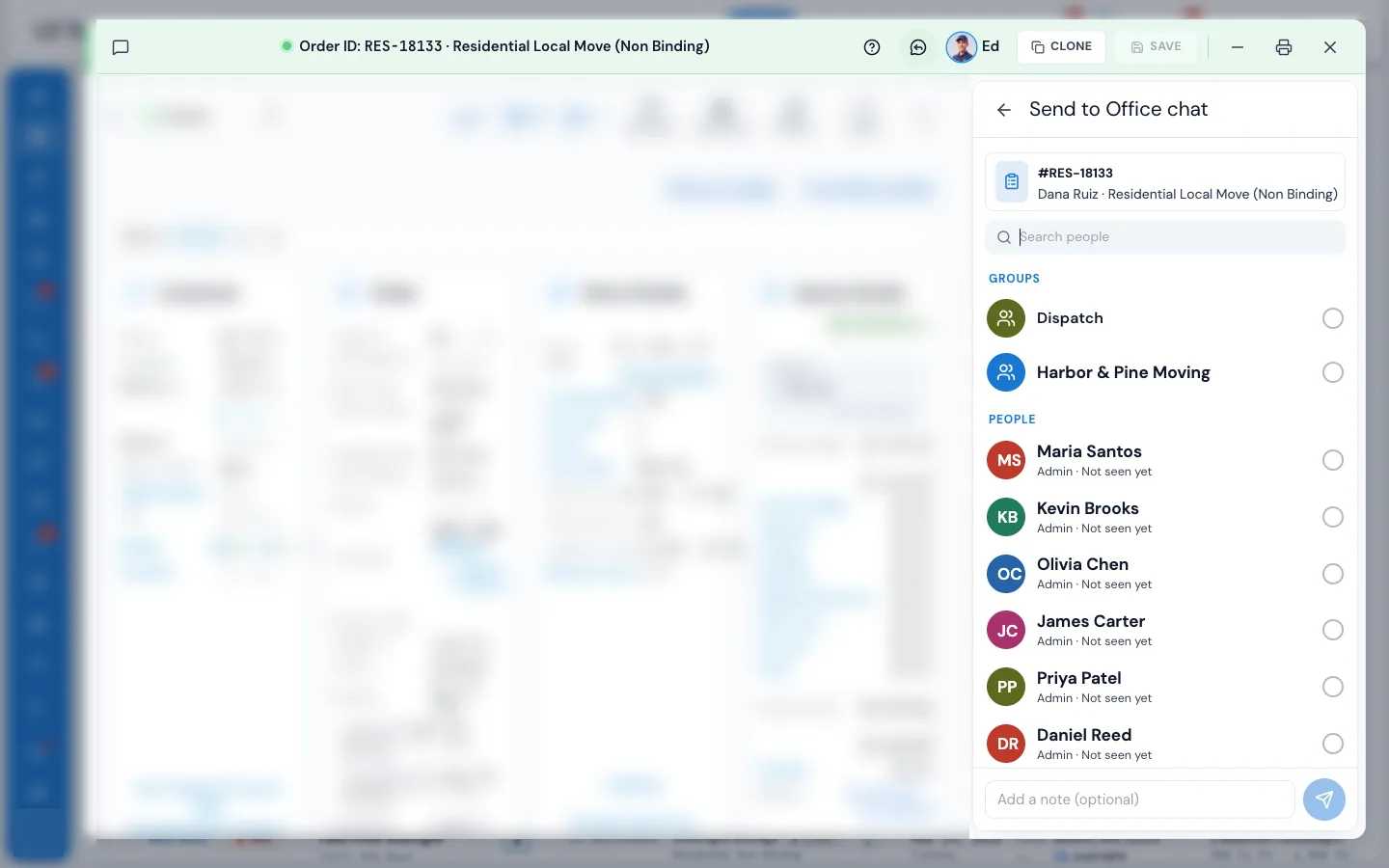
Write an order number like #218080 or RES-18136, a storage tenant (Storage ID: 1042), an invoice (Invoice #285), a claim (CL-0005) or a trip (Trip #12), and it becomes a link with a small card: the customer, the date and the status. Press it to open the record right there. From an order, storage tenant, invoice or claim window, press the chat button in the title bar: Send to Office chat lets you pick people or groups, add a note and send the record as a card.
- Each person sees the card only if they may open that record
- Anyone else just sees the words
- A customer's phone number or email in a message opens a search for that customer
04 / Like the chat app you know
Reply, forward, delete for everyone.
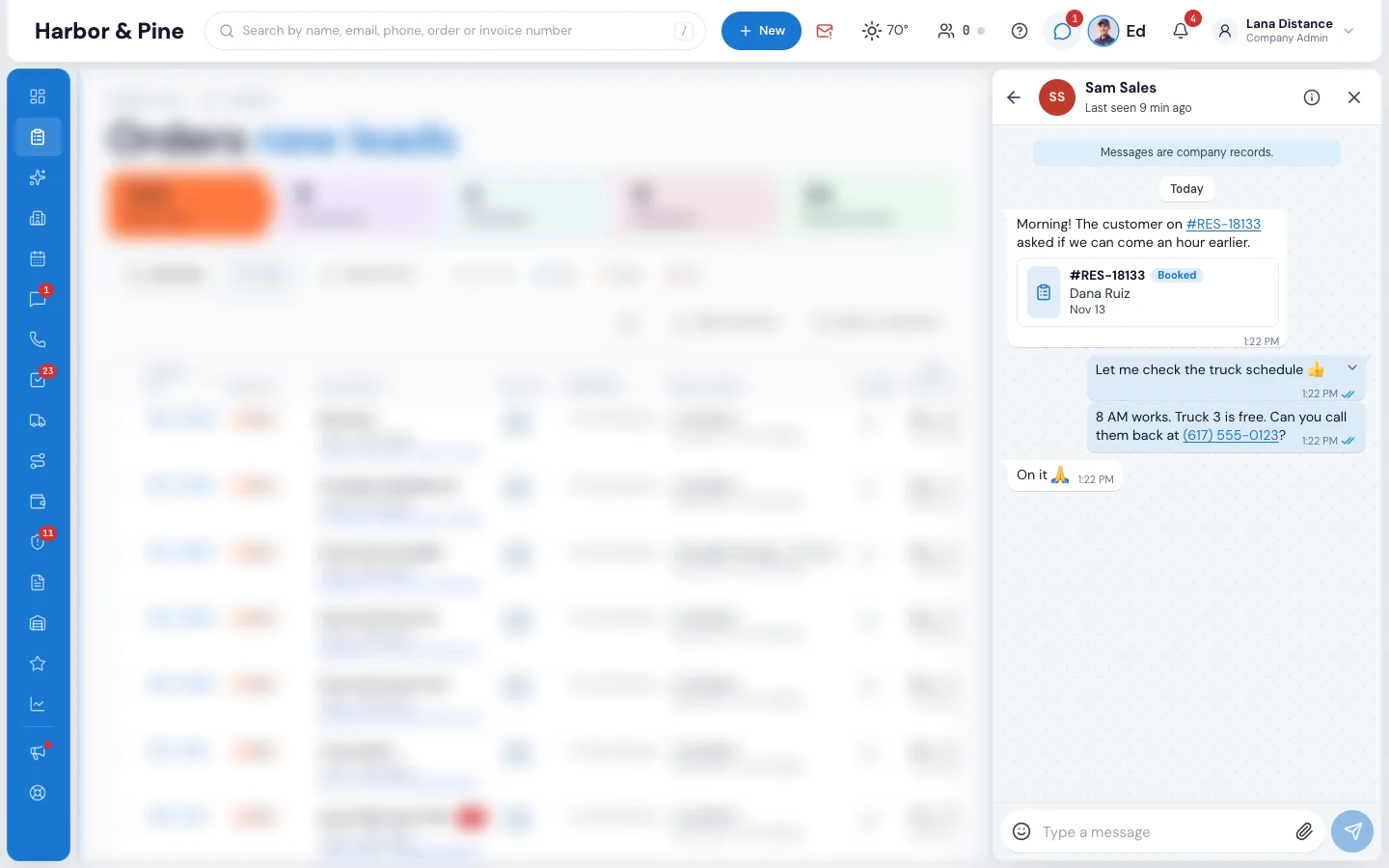
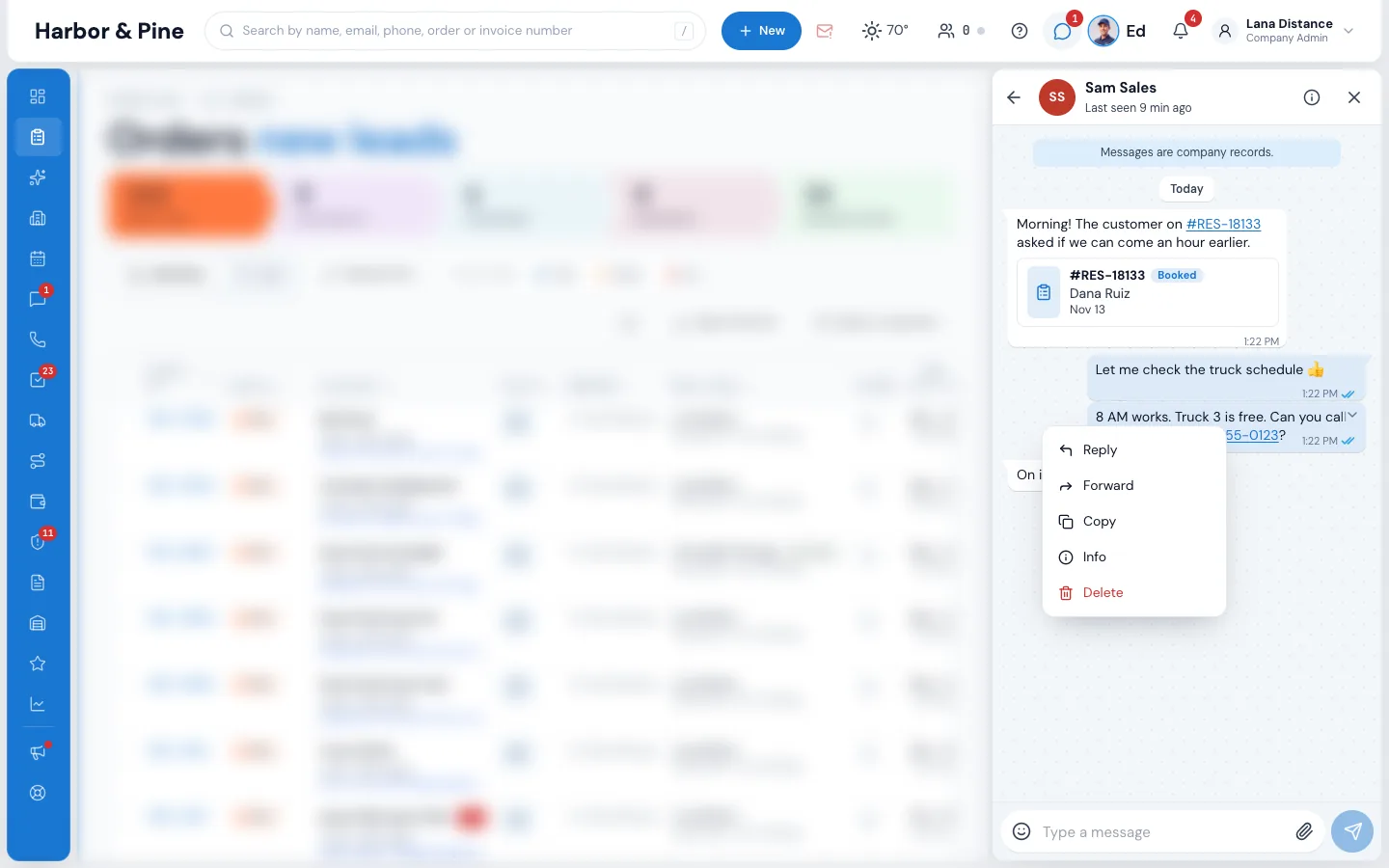
Point at a message, or hold it on a phone, to Reply, Forward, Copy, see Info or Delete. Enter sends and Shift + Enter starts a new line. The paperclip sends a photo, PDF, Word or Excel file up to 10 MB; you can also paste a screenshot or drop files on the chat, and photos are made smaller so they send fast.
- One grey tick sent, two grey ticks delivered, two blue ticks read
- In a group the ticks turn blue when everyone has read it; Info shows who and when
- Delete for me, or Delete for everyone with your own messages
- A green dot means the person has MoveBoard open; Busy turns the sound off
05 / On the phone
The same chat in your pocket.
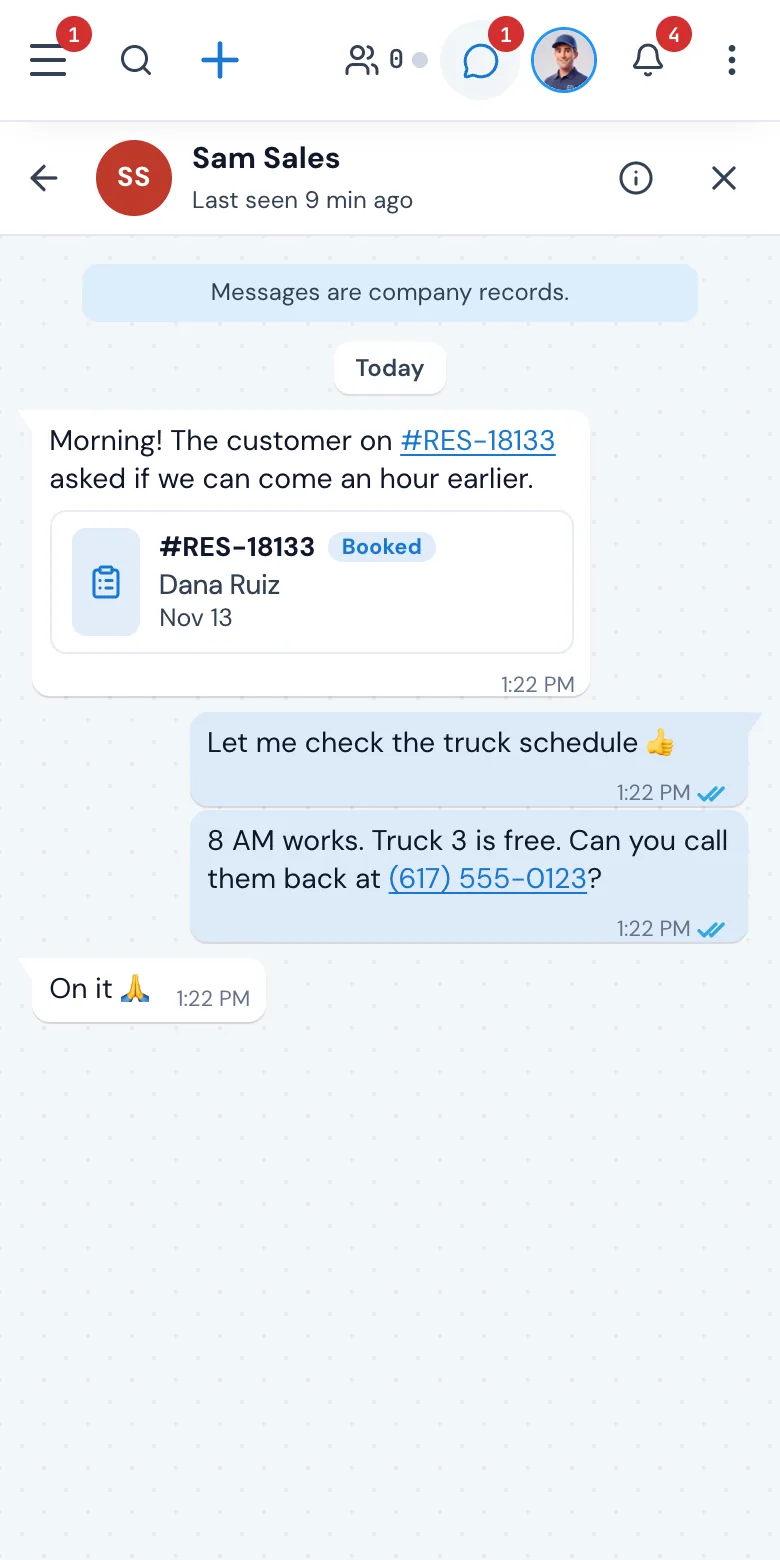
On a phone, Office chat fills the screen with the same chats, ticks and order cards, and the arrow at the top goes back. Anyone in the office who opens MoveBoard on their phone has the whole conversation, the order cards included.
- The arrow on the right sends
- Order cards open the order on the phone too
- Messages are company records, on every screen
06 / Your rules
Your rules, kept as company records.
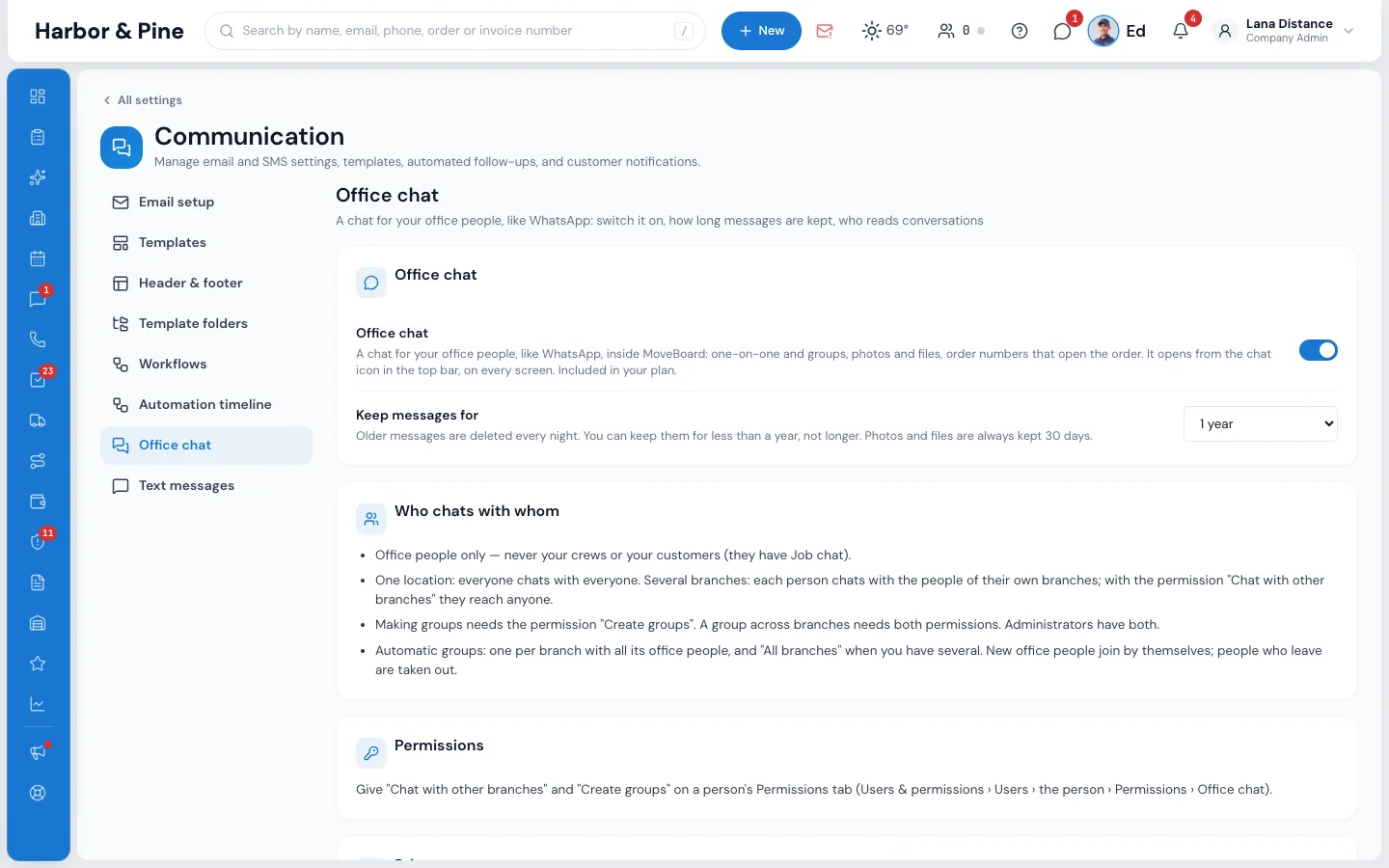
In Settings › Communication › Office chat an administrator sets how long messages are kept: a year, or less. Photos and files are kept 30 days. Every chat shows Messages are company records, and owners and administrators can read conversations on Review conversations, where every look is recorded.
- Office people only: never your crews or your customers
- Create groups and Chat with other branches are permissions you give
- Ed, the AI assistant, doesn't read your chats
Why not a separate chat app
A team chat that knows your moves.
A general chat app doesn't know what RES-18133 is. In MoveBoard the same number opens the order, with its customer, date and status, for everyone who is allowed to see it, and Send to Office chat shares an order, tenant, invoice or claim straight from its window.
The conversation also stays with the company. Messages are kept as long as your company chooses, up to a year; a person who leaves takes nothing with them, and owners can review conversations when they need to.
“Time relief, organization, all in one location of client files!”
By the numbers
1
Place for the move and the talk about it
An order, storage, invoice, claim or trip number in a message becomes a card that opens the record, only for the people who may see it.
Who can use Office chat?
The people in your office: sales, dispatch, managers and owners. Your crews and your customers are not in it; customers write to the crew and the office in Job chat. With several branches, each person chats with the people of their own branches, and the Chat with other branches permission lets someone reach everyone.
Where do I find Office chat?
Press the chat bubble in the top bar, beside Ed and the bell, on every screen. An administrator sets how long messages are kept, a year or less, in Settings › Communication › Office chat.
Can I send photos and files?
Yes. The paperclip sends a photo, PDF, Word or Excel file up to 10 MB, and you can paste a screenshot or drop files on the chat. Photos and files are kept 30 days; after that the message says the photo was removed.
How do I know if someone read my message?
One grey tick means sent, two grey ticks mean it reached their MoveBoard, and two blue ticks mean they read it. In a group the ticks turn blue when everyone has read it, and Info on the message shows who read it and when.
What happens when I write an order number?
Order numbers like #218080 or RES-18136, storage IDs, invoice, claim and trip numbers become links with a small card showing the customer, the date and the status. Pressing it opens the record. Each person sees the card only if they are allowed to open that record.
Can owners read the conversations?
Yes. Every chat shows Messages are company records. Owners and administrators can read conversations on Review conversations, and every look is recorded.
Does Office chat cost extra?
No. Office chat is included in every MoveBoard plan, like every other feature.
Works with
Office chat opens the record you're talking about.
See your company on MoveBoard.
A live demo built around your own kind of moves: your service area, your pricing, your crews.