
Estimates & pricing
Packing and unpacking prices
How partial or full packing is priced on a quote, how it lengthens the labor time, and the settings behind both.
- 2 min read
- Checked against MoveBoard
- For sales, owners & admins
On this page
When the customer wants you to pack, choose Partial Packing or Full Packing on the order. That does two things: it adds an estimated packing price to the quote, and it makes the loading take longer.
Choose the packing on an order
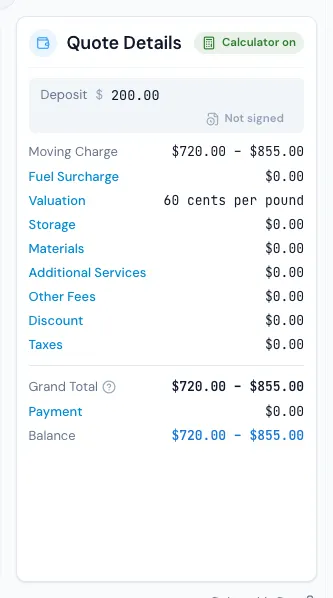
- On the Quote Details card, press Materials.
- Open the PACKING SERVICE tab.
- Pick No Packing, Partial Packing or Full Packing.
- If the move has a delivery, pick the Unpacking too. It can't be more than the packing: with partial packing, partial unpacking at most.
- Press Save in the pop-up, then SAVE the order.
The pop-up shows Estimated packing now and, at the foot, the Total of materials plus estimated packing — live, before you save. The Materials row then reads, for example, "(Full Packing requested)".
The estimated packing price
It comes from Settings › Pricing & calculator › Packing calculator, with one set of numbers for a Local Move and one for a Long Distance and Flat Rate Move:
- Full packing percent — the share of the move that full packing is charged on.
- Partial packing percent — the same for partial packing.
- Packing rate — the price per cubic foot packed.
Example: a 1,000 cu ft local move, Full packing percent 80%, Partial packing percent 30%, Packing rate $1.50.
| Choice | Sum | Estimated packing |
|---|---|---|
| Full Packing | 1,000 × 80% × $1.50 | $1,200 |
| Partial Packing | 1,000 × 30% × $1.50 | $450 |
Test packing services on the same page runs this sum for any size, and saves nothing.
The extra time
The packing also adds a percent of time to the loading, from the Packing rows of Settings › Pricing & calculator › Mover Speed (for example Full Packing 47%: a 3-hour load becomes about 4 h 25 min). Unpacking adds its percent to the unloading. See Mover speed.
Advanced packing settings
- Show packing options on Customer Account page — off, and no estimated packing price is worked out for that move type at all.
- Company Services — the services the packing options come with. A service switched off gets no estimated packing price.
- Order Status — switch a status off and the customer doesn't see the estimated packing price while the order is in it. The order's totals don't change.
Packing per box
In the MATERIALS tab, tick The crew packs them or The crew unpacks them to price the crew's work per box beside the boxes sold. See Materials and additional services on a quote.
A Packing Day service has its own choice on Move Details: Hourly (labor hours) or By Box (the packing labor lines of its materials list).
Related guides
- Estimates & pricingMover speedHow fast a crew moves cubic feet, how entrances, elevator floors and the walk from the truck slow it down, and how packing adds time.
- Estimates & pricingMaterials and additional services on a quoteAdd boxes, packing materials and extra services (piano, hoisting…) to a quote, and turn your other fees on or off.
- Estimates & pricingHow MoveBoard prices a moveThe chain behind every hourly quote — size, crew, speed, labor time, travel, minimums, add-ons and taxes — with a worked example.
- Estimates & pricingHiding the price from customersDecide when a customer sees their price in the portal and on your website forms — and release it on one order.
Still stuck? A person will help.
Open a ticket from Support inside MoveBoard, or email us — we usually reply within one business day.