
Estimates & pricing
Not-to-exceed prices
Give the customer a ceiling price — the quote plus a contingency percent — and warn the crew when the bill goes over it.
- 2 min read
- Checked against MoveBoard
- For owners & admins, sales
On this page
A not-to-exceed price is the most the customer will be asked to pay: the quote's grand total plus a contingency percent. MoveBoard shows it under the quote and can warn the crew when the bill goes over it.
How it is worked out
Not To Exceed = the top of the quote's grand total × (100% + the order's NTE %), rounded to the cent. On a multi-day order each day is raised by the percent and the results are added up.
For example, a quote of $1,000 – $1,200 with a 10% contingency has a not-to-exceed price of $1,320.
Set your contingency
- Open Settings › Pricing & calculator › Not-to-exceed.
- Pick the move type at the top.
- In the Long Distance card and the Local / Hourly card, type the NTE %. 0 turns it off for that kind of move.
- Under each percent, switch it on or off for Binding, Non-Binding and Flat Rate estimates.
- Press Save.
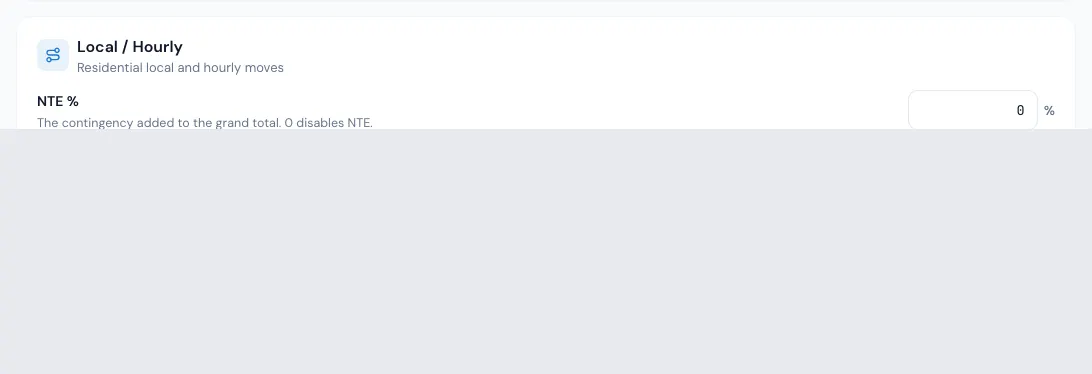
New orders take the percent that matches their move type, local or long distance, and estimate type. If you change any of those three on an order, its percent is taken from your settings again.
Change it on one order
- Open the order and press Settings in the window's button strip.
- On Payment settings, change Not To Exceed %.
- Press SAVE in the pop-up. The quote is saved with the order.
A completed order's settings can no longer be changed.
Where it shows
- Quote Details, under the balance: Not To Exceed (10%) and the amount. The row is there only while the percent is above zero.
- The closing view shows the same row for the job.
Warn the crew when the bill goes over
- Open Settings › Documents & bill of lading › Contract rules.
- Turn on Enable warning when calculated total exceeds NTE.
- Press Save.
With the switch on, when the bill's total goes over the not-to-exceed price:
- the bill of lading's cost section shows "The grand total currently exceeds the Not to Exceed Total.";
- before the foreman takes a payment, a pop-up called Not To Exceed exceeded asks: "The grand total currently exceeds the Not to Exceed Total. Proceed with payment anyway?" The foreman can Cancel or Proceed anyway.
The warning doesn't lower the bill. Changing what is charged is up to the office or the crew.
Related guides
- Estimates & pricingHow MoveBoard prices a moveThe chain behind every hourly quote — size, crew, speed, labor time, travel, minimums, add-ons and taxes — with a worked example.
- Estimates & pricingFlat rate local movesQuote a local move as one fixed price built from its size and distance, instead of hours times a rate.
- OrdersOrder settingsThe settings for one order — how its volume is worked out, the not-to-exceed percent, COD or invoice on delivery, and when card fees apply.
- OrdersThe closing viewWhat the crew actually did and charged, side by side with what was sold — and how to fix the closing, see Total Due and close the job.
Still stuck? A person will help.
Open a ticket from Support inside MoveBoard, or email us — we usually reply within one business day.