
Dispatch & scheduling
Print the day
Print the day's jobs, crews and trucks on one sheet, sorted by truck for the yard or by move time for the office.
- 1 min read
- Checked against MoveBoard
- For dispatchers, owners & admins
On this page
The day sheet puts every job of the day on paper: when, who, where from, where to, which crew and which trucks.
Print it
- Open Dispatch and go to the day you want.
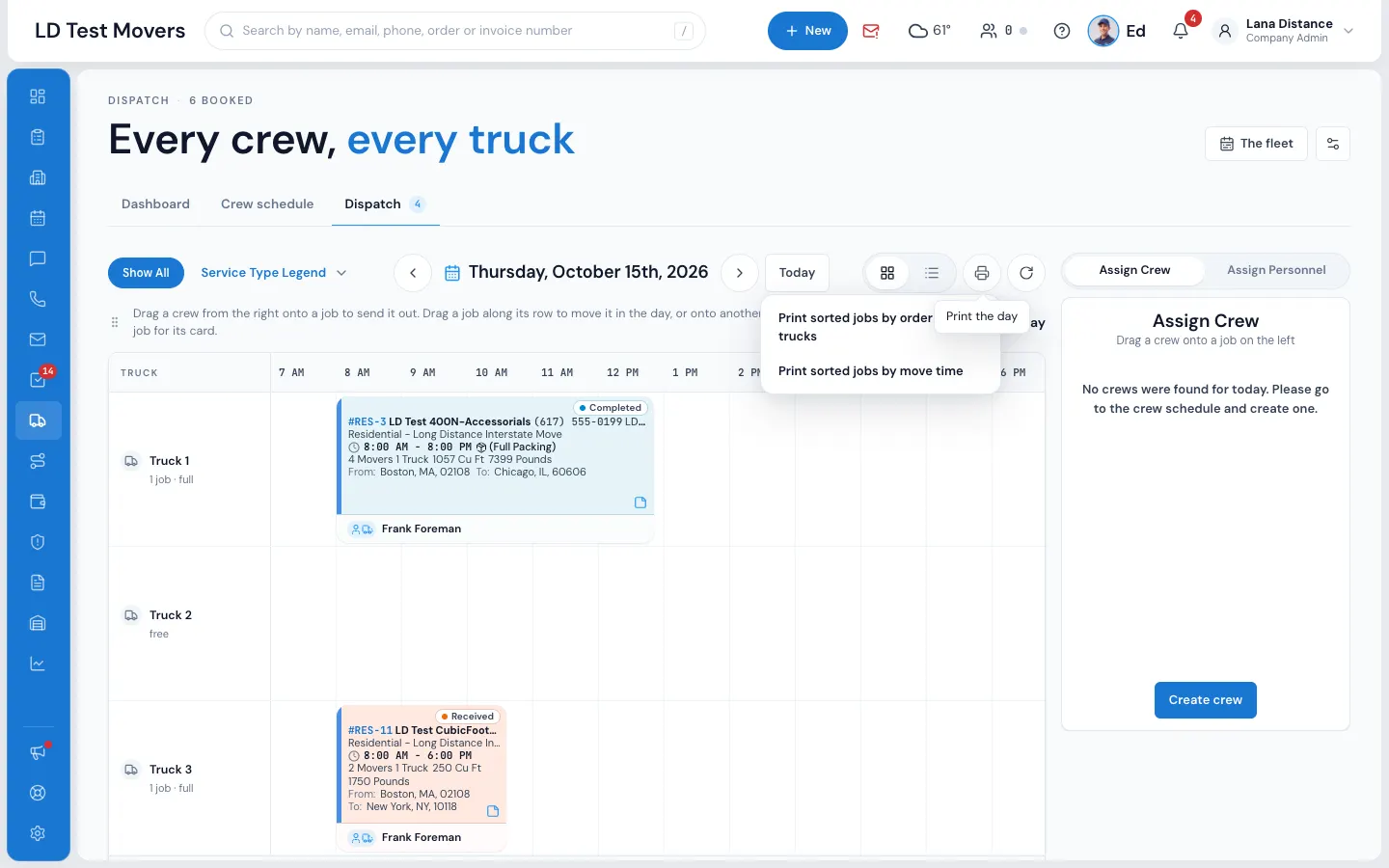
- Point at (or press) the printer icon at the top right of the board.
- Pick an order: - Print sorted jobs by order of trucks — each truck's jobs together, which is what the yard wants; - Print sorted jobs by move time — in the order they start, which is what the office wants.
- The day sheet opens. Press Print and use your browser's print window (or save it as a PDF).
On the sheet itself you can switch between By truck and By move time before printing.
A day with no jobs says There is nothing to print in the menu.
What's on the sheet
For each job:
- A grey header row — the date and weekday (on the first job), the service, Job and the order number with its order status and job status, then From, To and Crew.
- The job row — the arrival window, the customer's name and phone, the two addresses and the crew's names. A job with nobody on it says Not assigned — the first thing the yard looks for.
- One row per truck — the truck's name and the load's weight and volume.
The sheet prints without the menu or buttons.
Who can print
Anyone who can open Dispatch can print the day sheet.
Related guides
- Dispatch & schedulingThe Dispatch boardRead the day at a glance — trucks down the side, hours across, every booked job as a card you can select, open or move.
- Dispatch & schedulingAssign trucks and crewBuild the day's crews on the Crew Schedule, then put a crew on each job — by dragging it onto the board or picking people in Assign Personnel.
- OrdersPrint an orderPrint the Order for Service or a clean copy of the order window.
Still stuck? A person will help.
Open a ticket from Support inside MoveBoard, or email us — we usually reply within one business day.