
Getting started
MoveBoard on your phone
How the office screens fit a phone — the menu behind the three-line button, the ⋮ menu, full-screen search and windows — and what is roomier on a computer.
- 2 min read
- Checked against MoveBoard
- For owners & admins, sales, dispatchers
MoveBoard's office works in your phone's browser — there's nothing to install. Sign in at the same address with the same company ID, email and password. Your crew use the Mover's Portal instead (see The Mover's Portal home).
The menu
On a phone, the menu down the left is tucked away behind the three-line button at the top left. Press it and the menu slides in from the left with every item named.
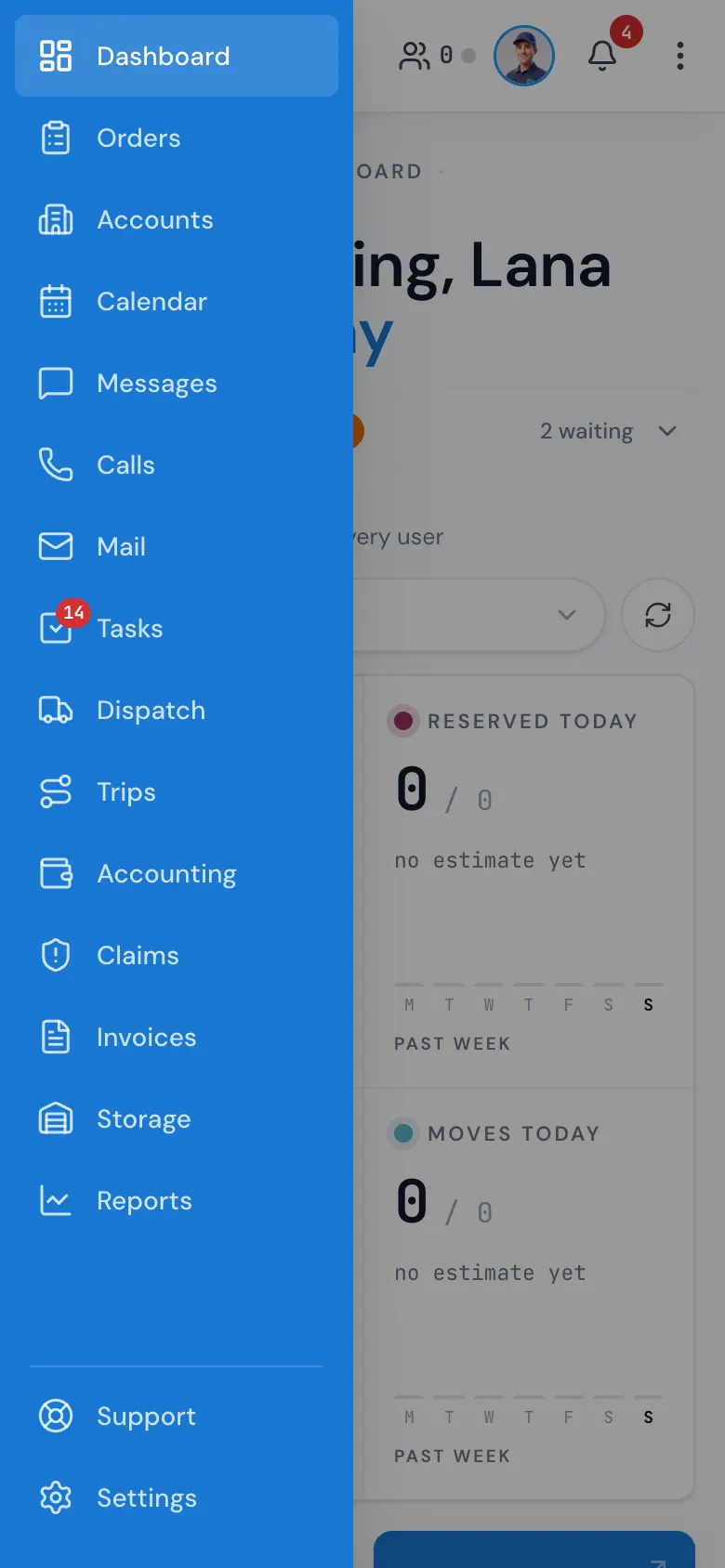
- Pick an item and the menu closes by itself.
- Press the dimmed page to close it without picking.
- The red number on the three-line button is your unread messages; inside, the same numbers sit on Messages, Calls, Tasks and, for people without Dispatch, Box deliveries.
- Support and Settings are at the bottom, under a thin line.
The top bar
The bar keeps what you need most: the magnifier for search, New, customers online, the phone, Ed and the bell. The rest is in the ⋮ button at the top right.
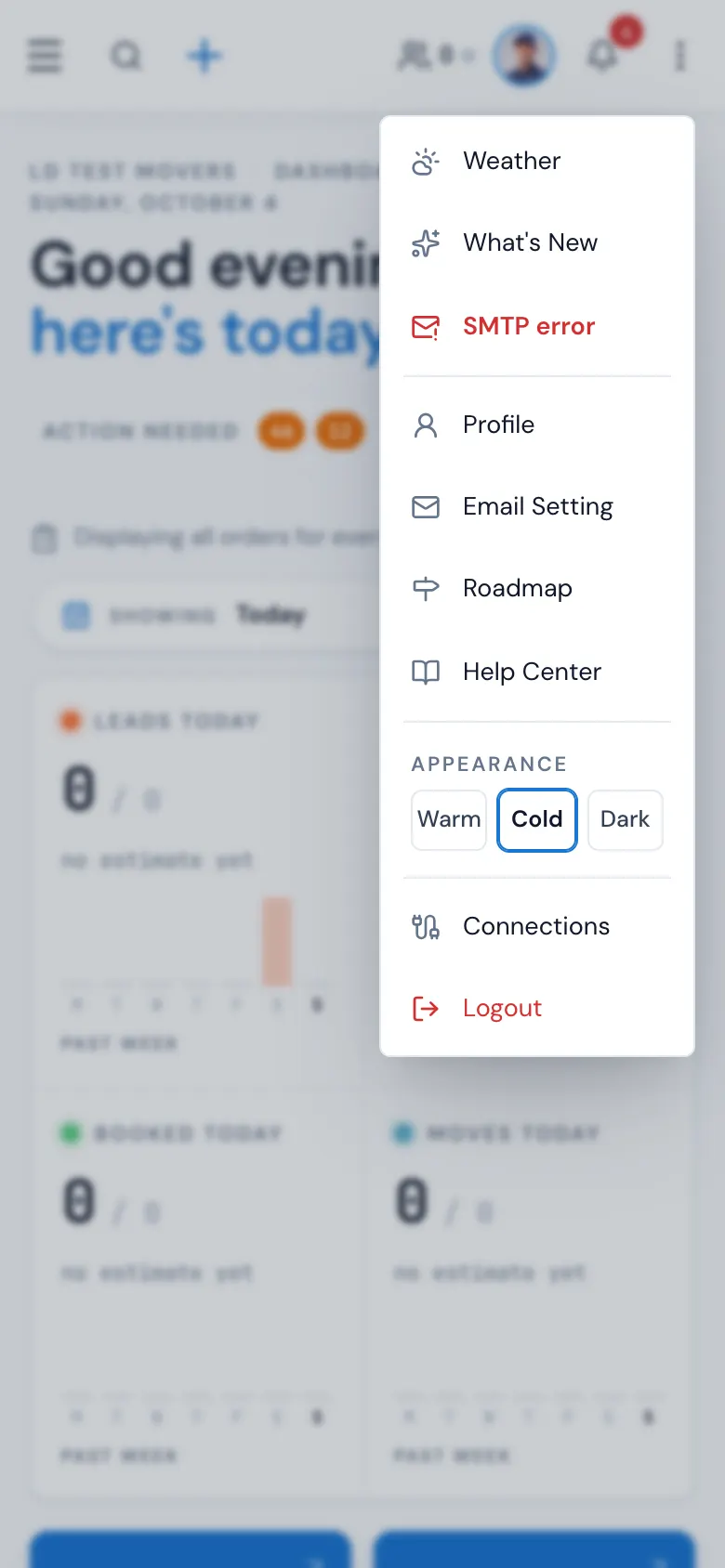
The ⋮ menu has Weather, What's New, Profile, Email Setting, Roadmap, Help Center, Connections and Logout. If a mailbox can't send, a red Email connection problem line appears there too.
Search, windows and pop-ups
- Search opens full screen, with a Close button at the bottom.
- Order windows fill the screen. Open orders still wait in the dock along the bottom when you minimise them. Windows can't be dragged on a phone. More in Order windows on a phone.
- Notifications slide in as a drawer.
- Action needed on the dashboard starts folded into one row; tap it to see the lines.
- To open an order from a list, tap it twice.
Settings on a phone
Each settings page opens with its list of pages folded away, so the page gets the whole screen. Use the round button on the left edge to open the list and pick another page.
Best on a computer
Everything works on a phone, but a few screens show much more at once on a computer or tablet: the dispatch board, the calendar's month view, long reports, and settings tables with many columns. Dragging an order window around is a computer-only feature (960 pixels wide or more).
Related guides
- Getting startedThe office menuEvery item in the menu down the left, what it opens, what the red numbers mean, and why an item can be missing.
- Getting startedThe top barWhat every button across the top of the screen does — search, + New, the phone, weather, customers online, Ed, the bell and the menu under your name.
- OrdersThe order on a phoneHow the order window fits a phone — the stacked top bar, the ⋮ menu, cards one under another, and the dock.
- Mover's PortalThe Mover's Portal homeWhat foremen and movers see when they open MoveBoard on their phone — the jobs waiting for an answer, today's jobs, and where everything else is.
Still stuck? A person will help.
Open a ticket from Support inside MoveBoard, or email us — we usually reply within one business day.