
Booking & payments
The Invoices page
Every invoice in one list — totals, filters, flags, bulk actions and export.
- 1 min read
- Checked against MoveBoard
- For owners & admins
Open Invoices from the office menu. You need the permission to see the Invoices tab.
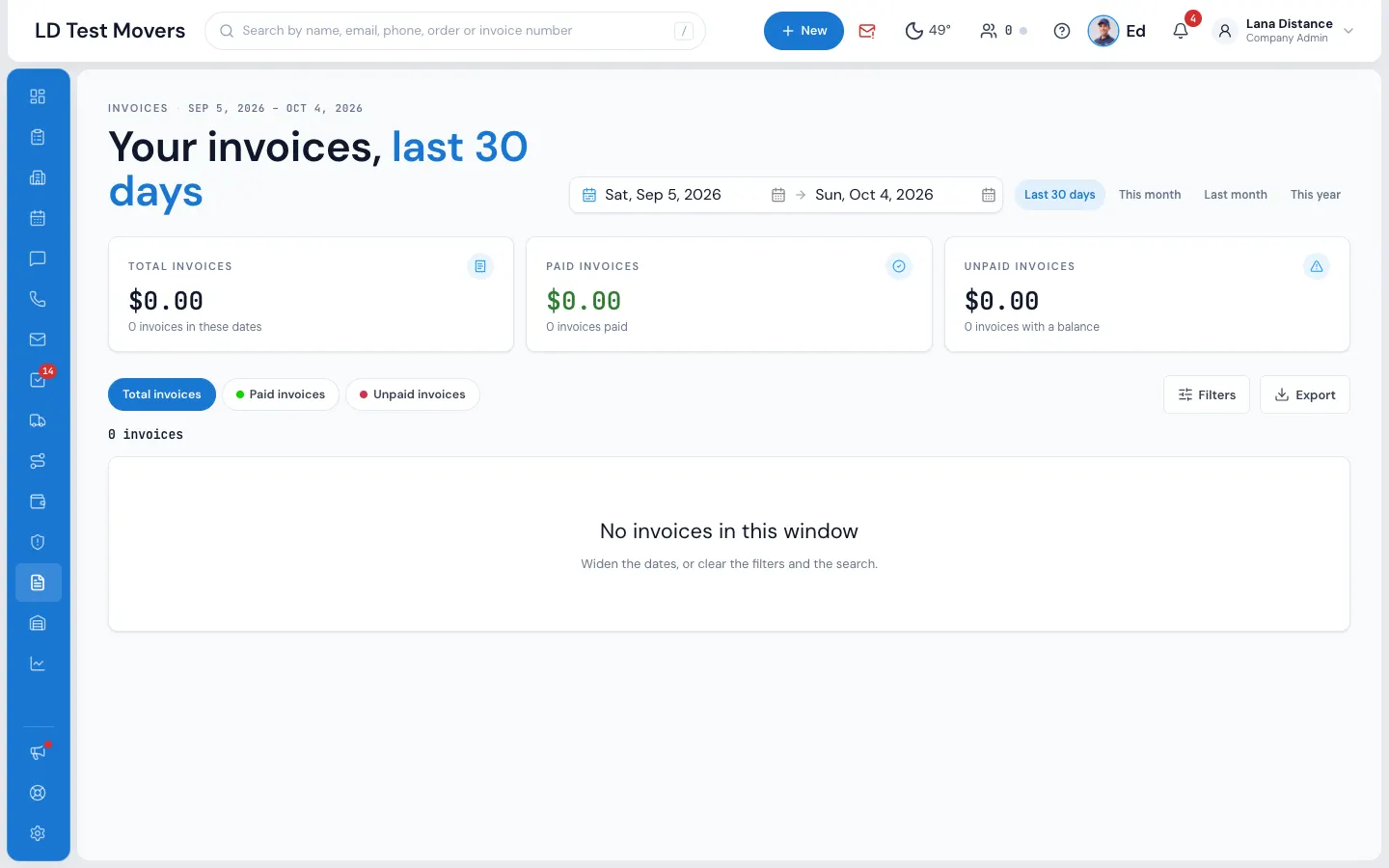
At the top
Three totals for the dates you're looking at: Total invoices, Paid invoices and Unpaid invoices (with a balance), each with how many.
Under them, Which invoices: Total, Paid or Unpaid.
Filter and search
- Invoice dates — Last 30 days to start with; also This month, Last month, or your own From / To.
- Filters — Invoice type (Sales, Closing, Custom), Invoice status and Only the ones with a balance. With more than one branch, a Branch filter too.
- Search by invoice number, customer or order.
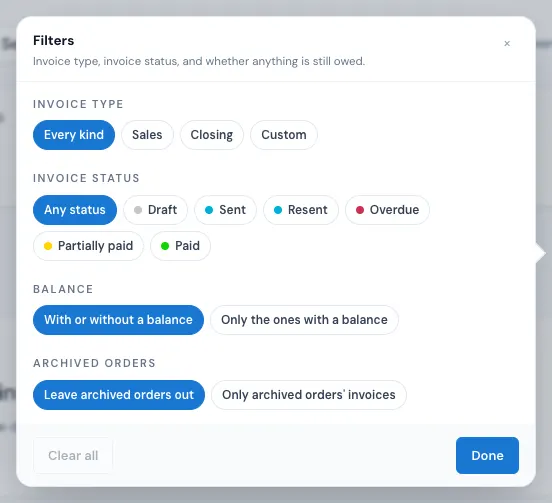
Admins can also choose Only archived orders' invoices — otherwise invoices on archived orders are left out.
The dashboard's overdue line opens this page on invoices past their due date with money still on them, from any date.
The list
Columns: No., Status, Order, Who, Flags, Kind, Issued, Due, Total, Says paid and Where the money is (and Branch with several branches). Storage bills live in Storage, not here.
Press a row to highlight it, again to open the invoice.
Act on several invoices
Tick invoices and the Action for selected items bar appears:
- Change Status, Add Flag, Send invoice, Print, Delete (asks first), Export.
Export downloads a CSV — All invoices or the ones you picked — and needs the export permission.
Related guides
- Booking & paymentsCreate and send an invoiceBill a customer from their order — from the quote, the closing, or from scratch — and send them a link to pay.
- Booking & paymentsInvoice status and flagsWhat each invoice status means, and how to mark invoices with your own coloured flags.
- Booking & paymentsPayments on invoicesTake a payment on an invoice — with or without an order behind it — from the invoice itself.
Still stuck? A person will help.
Open a ticket from Support inside MoveBoard, or email us — we usually reply within one business day.