Google recently updated their security settings and no longer support Less Secure App Access, which allows the Moveboard to connect in order to send emails. If you are using a Gmail account for your SMTP settings, you will need to follow the steps below in order to avoid interruption with your outgoing emails.
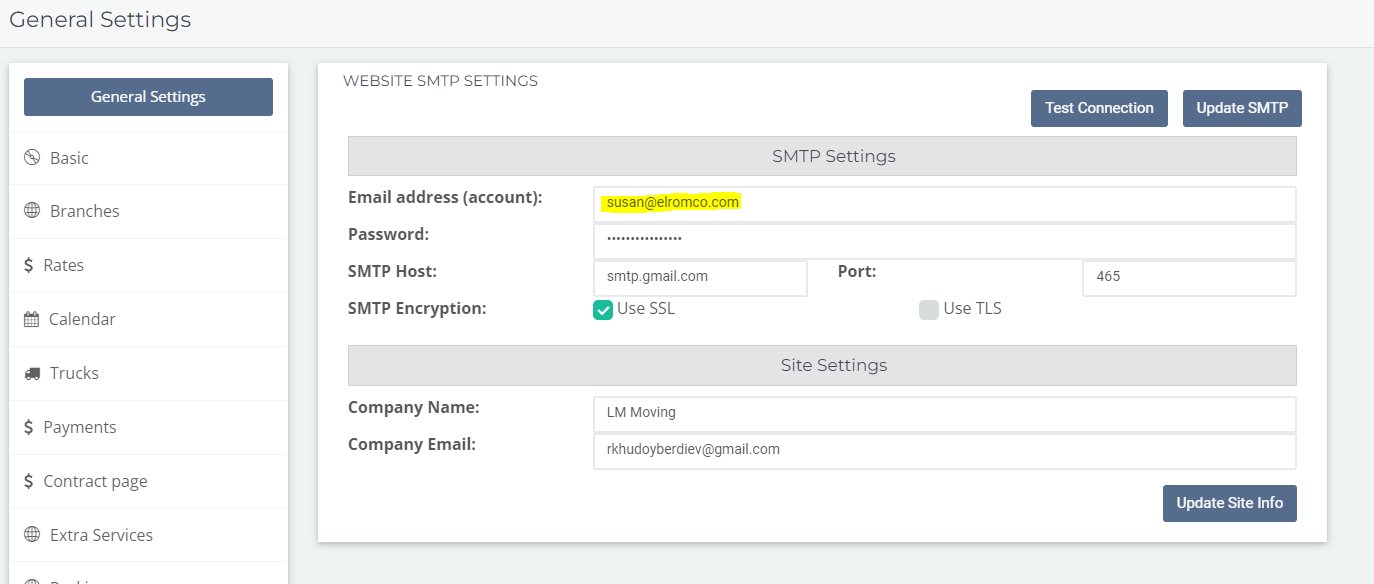
Log into the Gmail account that is connected to your SMTP Settings. You can see which email address this is by navigating to your General Settings in the Moveboard, then to Website SMTP:
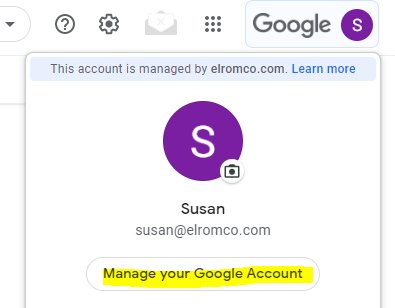
In Gmail, click your Google icon and select "Manage your Google Account":
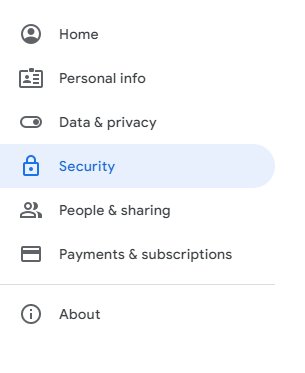
Proceed to "Security" and scroll down to the "Signing in to Google" section:
Follow the steps below to complete the process.
**Step 1: **Enable 2-Step Verification. This must be turned on and confirmed in order to proceed. You may have to enter your Gmail password to complete this step.
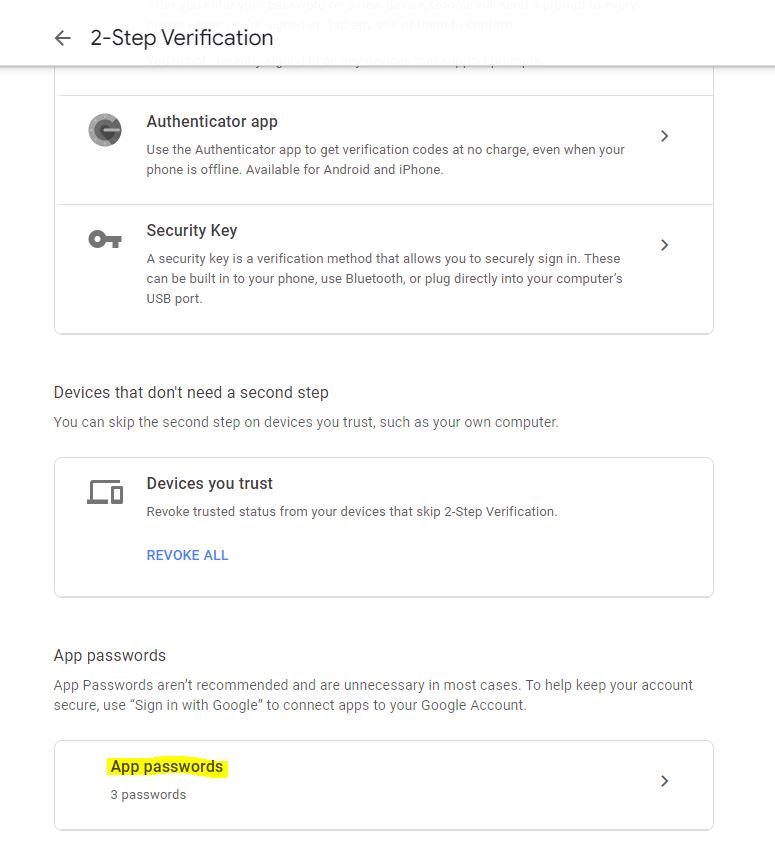
**Step 2: **Inside the 2-Step Verification section, scroll to the bottom until you see "App Passwords" and click the arrow in the box.
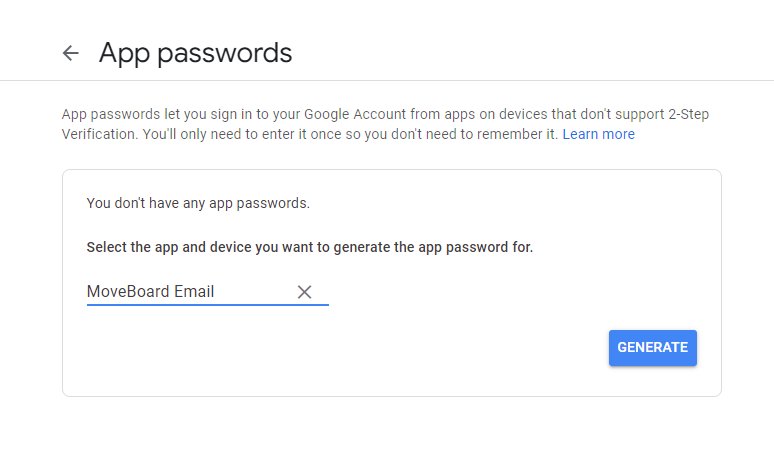
**Step 3: **Click the "Select App" drop down menu, then select "Custom" and create a name for this password (i.e. Moveboard Email):
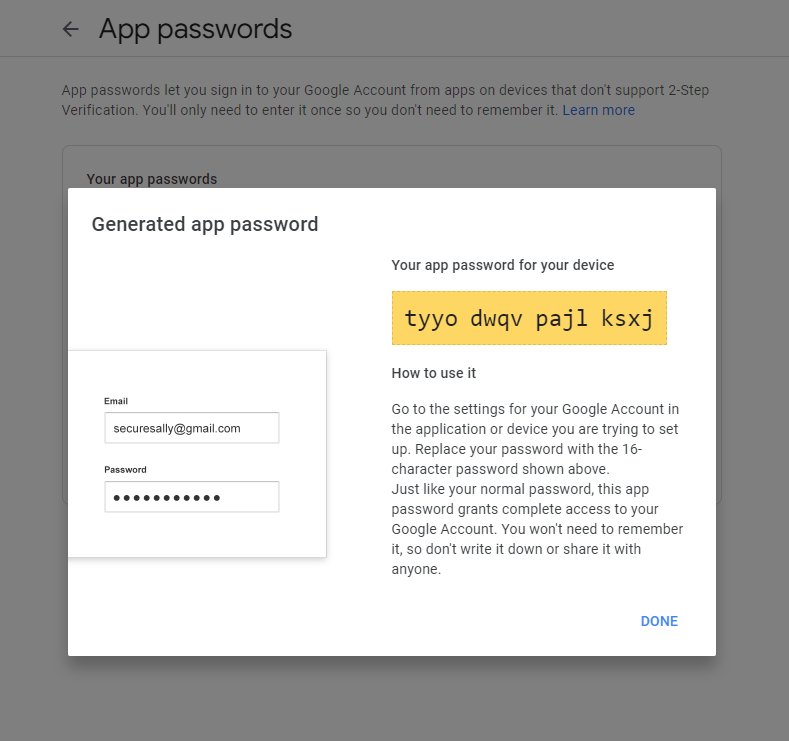
**Step 4: **This will generate a password that will be entered into your MoveBoard SMTP Settings. Copy this unique password in the yellow box from this screen:
**Step 5: **Proceed to your Moveboard and go into *Settings > General > Website SMTP. *Paste the new password there. Next, click "Update SMTP" and "Test Connection". If this was successful, you will see a pop-up box that says "Connection Established."
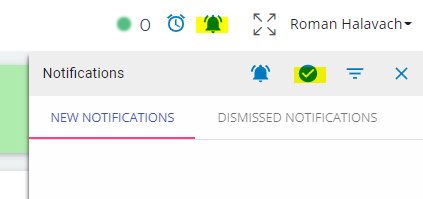
**Step 6: **The final step is to clear your notifications so the error message does not persist. Click the bell icon in the upper righthand corner of your Moveboard. Then select the checkmark to dismiss those errors:
Now your emails are ready to send without interruption or delivery errors.
Please let us know if you need further assistance with this process.