
View Summary of Multiple Locations
on One Screen
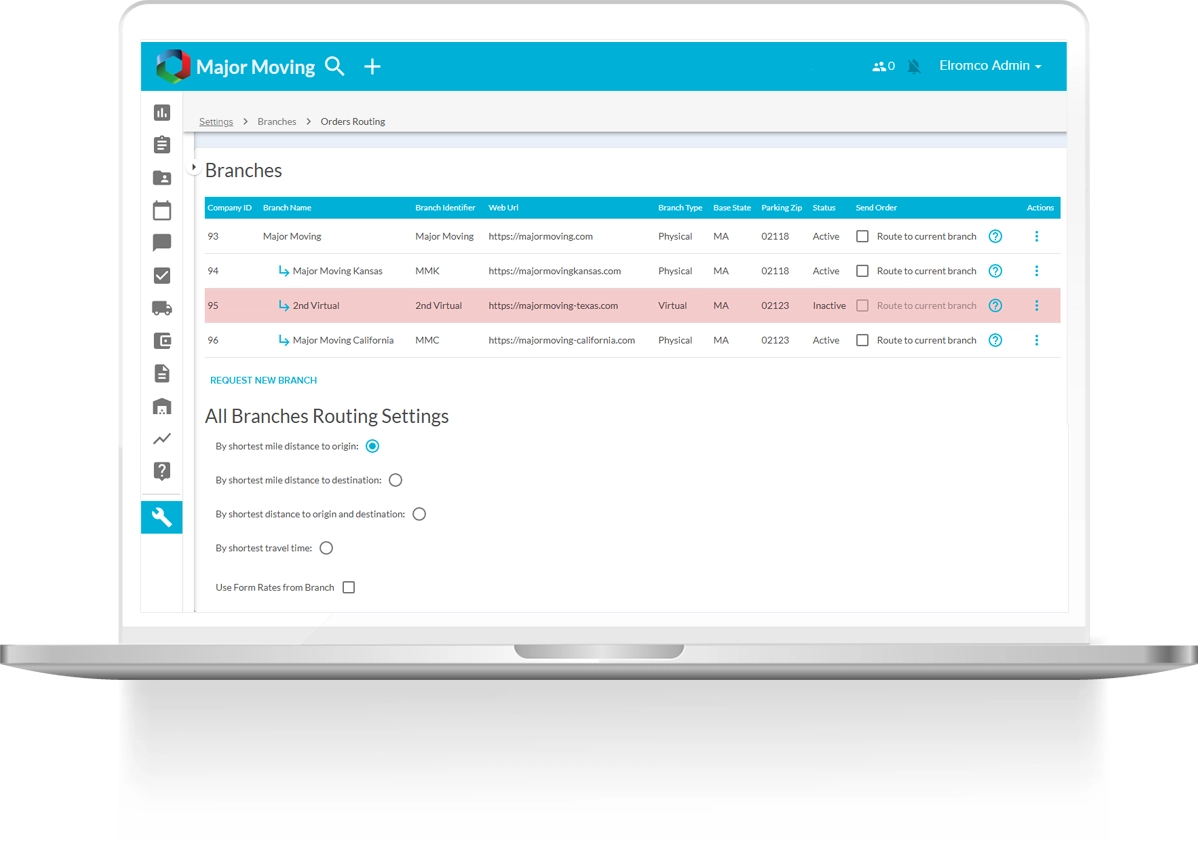
We are excited to announce that Branches are now live in Moveboard 2.0. This new functionality is designed to streamline your operations by consolidating all branch data into a single, efficient view.



One Moveboard,
All Your Branches.
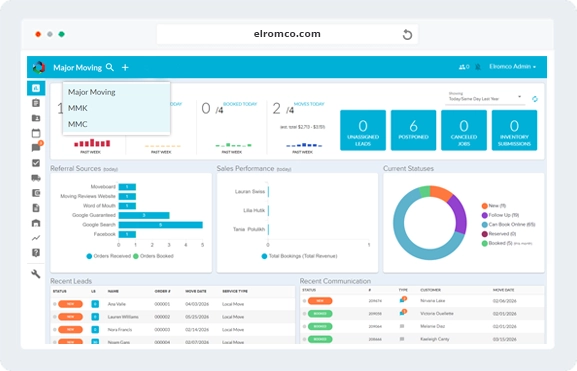
Say goodbye to switching between separate moveboards. With Branches, you can manage everything from one centralized Moveboard using a simple branch selector. You can view branches individually or select multiple branches at once to see combined data—all in one place.

Centralized Control &
Complete Oversight

Operational Efficiency &
Time Savings

Unified Platform & View
One Moveboard: All branches are accessible within a single Moveboard. Use a multi-select dropdown to view data for one branch or multiple branches simultaneously.
Branch Identifier: Each branch can be assigned a unique 7-letter identifier to simplify sorting, filtering, and reviewing orders and data.

Management & Setup
Branch Creation: Branches can be requested directly from your Moveboard. Once submitted, a member of our sales team will contact you to complete the setup.
Branch Settings Copy: Quickly duplicate configurations by copying all settings—or selected individual settings—from one branch to another.

Permissions & User Access
Admin Multi-Select: Admin users can be granted access to multiple branches using a multi-select permission setting.
Lead Transfer: New permissions allow authorized users to transfer leads between branches.
Data Views
Dashboard Tab: A branch selector is now available at the top of the dashboard, allowing you to view data for one, multiple, or all branches combined. Branch names will also appear in the Recent Leads and Recent Communications sections.
Orders Tab: Filter orders by branch using the same multi-select functionality, with branch names clearly displayed in the order list.
Reports: Reporting can be viewed across multiple branches at once or broken down for individual branch analysis.
Virtual vs Physical Branches
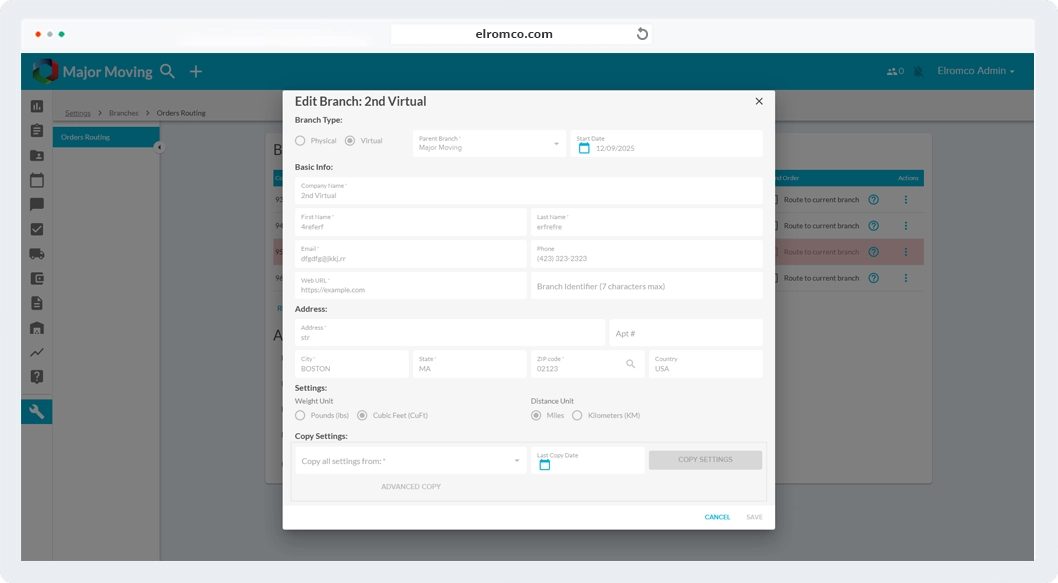
We are also introducing the ability to designate branches as either Virtual or Physical, which determines how operational resources are shared.
Virtual Branch: Dispatch, trucks, and crews are shared across all virtual branches.
Physical Branch: Dispatch, trucks, and crews are assigned separately to each physical branch.
If you would like to learn more or see these features in action, we invite you to schedule a demo of Moveboard 2.0. A live walkthrough will allow you to explore the new Branches functionality, ask questions, and see how these enhancements can support and scale your operations.
Schedule a free digital
marketing consultant meeting